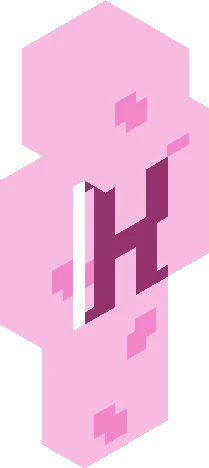
Home · Aesthetic · . see you soon
Click and drag to rotate
Aesthetic
. see you soon
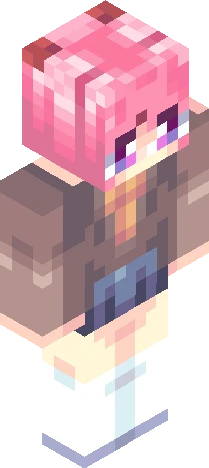
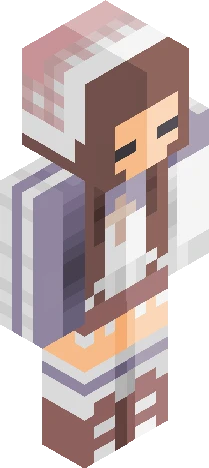
show more . + * i wanted to be everything you see but i went the wrong direction you needed some affection and i'm not sure why, but i will see you soon (i guess i have to take it, i'm deteriorating) feeling blue it's a walk in the park you said, "it's not that hard" i'm feeling kinda dizzy i don't want this to leave me and i told you, i'll see you soon (i guess i have to take it, i'm deteriorating) feeling blue (i try to have a meaning, and it looks appealing) i want you - see you soon; beabadoobee . + * . entry for this rc: https://www.minecraftskins.com/search/skin/rr61/1/ i don't think i've ever entered a contest reshade revival O.o lmao i was feeling motivated i added bows on the socks but then i removed them cuz it was too much lmao but i added ribbons/clips on the sides of her hair and i also did something different with the shoes i don't know how i did it tho lmao:)) . + *
64×64 · classic or slim is detected from the PNG
Eaglercraft · Minecraft
Bu skini Eaglercraft’ta kullan
PNG’yi indir, sonra hâlihazırda kullandığın Eaglercraft istemcisinde uygula. Menüler siteye göre değişir. Bu site oyunu dağıtmaz.
- 1Download the PNG with the button above.
- 2Open your Eaglercraft 1.8 client in the browser.
- 3On the title screen, open Options, then the skin control. It is often named Skin or Change Skin.
- 4Upload this PNG, or paste a direct image link if that menu asks for a URL.
- 5Join a world. The skin stays in this browser for that client.
Standard model · 64×64. Oyun şifresi istemeyiz. Bir skin dosyası yalnızca görseldir.
Bu skini Minecraft’ta kullan
- 1Download the same PNG.
- 2In the Minecraft Launcher, open Skins and choose a new skin.
- 3Pick classic or slim so the arms match this skin, then upload the file.
- 4Bedrock can use this artwork where that device lets you import a custom skin PNG. The file itself is the standard Java skin layout.