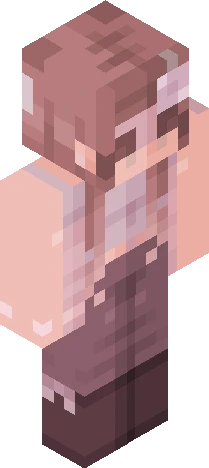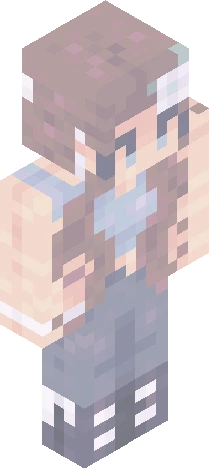
Home · starrypetalsrc · .|*Starry Petals*|. ~results
Click and drag to rotate
starrypetalsrc
.|*Starry Petals*|. ~results
.~*Show more*~. Well, it was pretty hard to decide which skins would take over 1st, 2nd place and all tht, sry tht I don’t upload a lot, anyways, here’s my rating for it (ofc I reshaded it in my version too ;3): 1. viari 2. sunkkissed 3. Vespxr 4. eebb12345 5. Astr4ea 6. Honeybee467 7. Nightshade12190 8.butternvt 9. thatdxpressedwolfy 10. kittiemini 11. Lefsach 12. tuxedocreator3 13.Daisy42 Thanku again for joining, all of u were incredible at reshading it <3 I might do also rewards for 1st, 2nd and 3rd place Bai bai <33
starrypetalsrcEaglercraft
64×64 · classic or slim is detected from the PNG
Eaglercraft · Minecraft
Utiliser ce skin dans Eaglercraft
Télécharge le PNG, puis applique-le dans le client Eaglercraft que tu utilises déjà. Les menus varient selon l’hébergeur. Ce site ne distribue pas le jeu.
- 1Download the PNG with the button above.
- 2Open your Eaglercraft 1.8 client in the browser.
- 3On the title screen, open Options, then the skin control. It is often named Skin or Change Skin.
- 4Upload this PNG, or paste a direct image link if that menu asks for a URL.
- 5Join a world. The skin stays in this browser for that client.
Standard model · 64×64. Nous ne demandons jamais de mot de passe de jeu. Un fichier de skin n’est que de l’illustration.
Utiliser ce skin dans Minecraft
- 1Download the same PNG.
- 2In the Minecraft Launcher, open Skins and choose a new skin.
- 3Pick classic or slim so the arms match this skin, then upload the file.
- 4Bedrock can use this artwork where that device lets you import a custom skin PNG. The file itself is the standard Java skin layout.
Similar skins