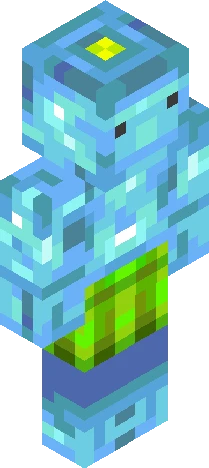
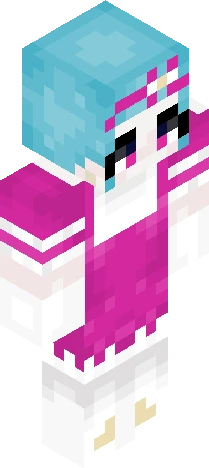
Click and drag to rotate
Black
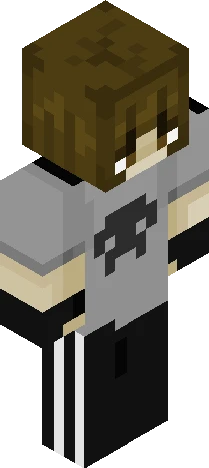
elio!
yesyesyes it is the one amazing human who makes amazing music elio mei !! this is "kinda" based on the art from the song elio lol okok the skin looks kind of bad but i TRIED okay. ahahha i just love their music cuz yeah he manages to make the best music idk how kiinda crazy cant stop listening to them aaand i dont have a favourite song because i love all his music except forr maybe one song. but id mention quarters or one man circus as my favourite but no other artist is better than this epic person anyway anyway no one cares about my opinions i just hope you like this skin that isnt that shaded.. haha im sory i feel like shaded skins r sometimes TOO much yk so yeah yeah im uh yeh ok i talk too much bye bye!! Have a great day <3 <3
64×64 · classic or slim is detected from the PNG
Eaglercraft · Minecraft
Utiliser ce skin dans Eaglercraft
Télécharge le PNG, puis applique-le dans le client Eaglercraft que tu utilises déjà. Les menus varient selon l’hébergeur. Ce site ne distribue pas le jeu.
- 1Download the PNG with the button above.
- 2Open your Eaglercraft 1.8 client in the browser.
- 3On the title screen, open Options, then the skin control. It is often named Skin or Change Skin.
- 4Upload this PNG, or paste a direct image link if that menu asks for a URL.
- 5Join a world. The skin stays in this browser for that client.
Standard model · 64×64. Nous ne demandons jamais de mot de passe de jeu. Un fichier de skin n’est que de l’illustration.
Utiliser ce skin dans Minecraft
- 1Download the same PNG.
- 2In the Minecraft Launcher, open Skins and choose a new skin.
- 3Pick classic or slim so the arms match this skin, then upload the file.
- 4Bedrock can use this artwork where that device lets you import a custom skin PNG. The file itself is the standard Java skin layout.