Click and drag to rotate
Anime
Summer CoNTest ResuLts!
by DontHugMe · Minecraft Skins community listing
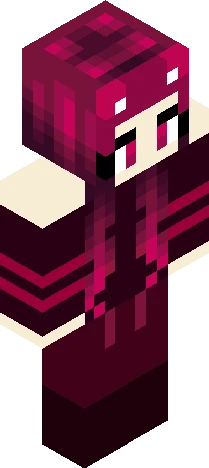
Summer CoNTest ResuLts! is a free 64×64 Minecraft skin PNG in the Eaglercraft Studio library. Tagged anime, bunny, ombre, pink. Compatible with Eaglercraft and Minecraft Java — rotate the 3D viewer, edit online, or download.
Uploader notes
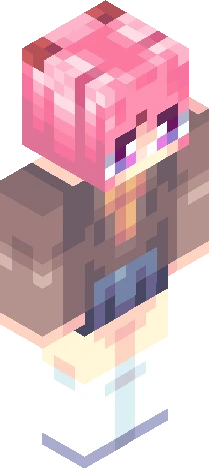
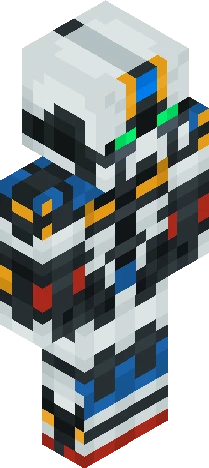
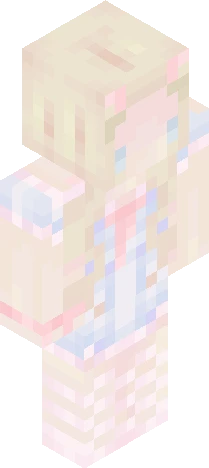
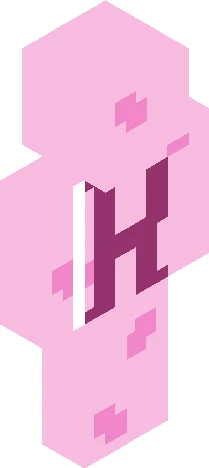
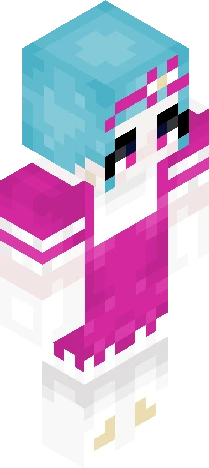
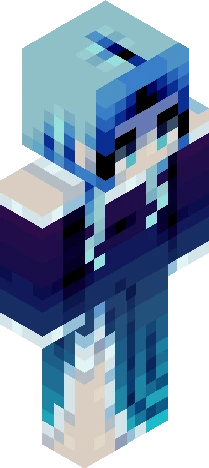
hellooo, please do be a good sport if you didn't win, this contest was hard to put results together since everyone did such a good job!! winners please don't forget to claim ur prizes!! if you don't claim in a week i'll shift it to a new winner!!! prizes: 1st: gets a base in their colors of liking (unshaded or shaded) a shoutout on bio and 4 skins I post, all likes, a follow 2nd: a hair base of their colors of liking (shaded) a shoutout on 2 skins I post, 15 likes, and a follow 3rd: gets to pick what their heart desires, 8 likes, and a follow everyone who participated gets 3 likes on skins! Winners: 1st: https://www.minecraftskins.com/skin/24286004/malibu-sweetheart/ this looks so amazing! the hair twirl and the shading is just outstanding work! tysm for joining! 2nd: https://www.minecraftskins.com/skin/24241460/beach-day/ such great shading and I loved the idea!! tysm for joining! 3rd: https://www.minecraftskins.com/skin/24294702/lil--bit-of-sunshine---rce/ such good shading! I love the idea and the summer clothing, something id wear tbh :D tysm for joining! everyone else gets 3 likes <3 tysm for joining and i'm glad I got to host it! ya'll did amazing!!!
64×64 · classic or slim is detected from the PNG
Added value
What’s on this skin page
Preview, categories, compatibility, and tools on this page — not a bare file mirror.
- Creator
- DontHugMe
- Source
- Minecraft Skins community listing · curated on Eaglercraft Studio
- Format
- 64×64 PNG skin texture
- Model
- Classic or slim (detected from the PNG)
- Compatible with
- Eaglercraft · Minecraft Java · Bedrock (classic skin import)
- Studio tools
- 3D preview · browser editor · avatar maker
- Categories
- Anime, Bunny, Ombre, Pink
Download
How to download this free skin
- 1Click Download skin to save the free PNG.
- 2Follow Use in Eaglercraft below for client steps, or import the file in Minecraft Java (Profile → Skins).
- 3Optional: open Avatar maker for a Discord / YouTube profile picture from the same texture.
Downloads are free. An optional account only saves favorites across devices.
Edit
How to edit this skin
- 1Open Edit skin to load this PNG in the browser editor.
- 2Paint, swap layers, or remix parts — changes stay on your device until you download.
- 3Export a new 64×64 PNG and use it in Eaglercraft or Minecraft Java.
Eaglercraft · Minecraft
Utiliser ce skin dans Eaglercraft
Télécharge le PNG, puis applique-le dans le client Eaglercraft que tu utilises déjà. Les menus varient selon l’hébergeur. Ce site ne distribue pas le jeu.
- 1Download the PNG with the button above.
- 2Open your Eaglercraft 1.8 client in the browser.
- 3On the title screen, open Options, then the skin control. It is often named Skin or Change Skin.
- 4Upload this PNG, or paste a direct image link if that menu asks for a URL.
- 5Join a world. The skin stays in this browser for that client.
Standard model · 64×64. Nous ne demandons jamais de mot de passe de jeu. Un fichier de skin n’est que de l’illustration.
Utiliser ce skin dans Minecraft
- 1Download the same PNG.
- 2In the Minecraft Launcher, open Skins and choose a new skin.
- 3Pick classic or slim so the arms match this skin, then upload the file.
- 4Bedrock can use this artwork where that device lets you import a custom skin PNG. The file itself is the standard Java skin layout.
Similar skins
More library skins from related categories — curated for discovery, not random filler.