

i’m a puzzle with a lot of missing pieces . tr3e
64×64 PNG · Java, Bedrock, Eaglercraft
Modifier le skinHome · Kktr03 · ~ Cheery Cherry ~ // TE
Click and drag to rotate
Kktr03
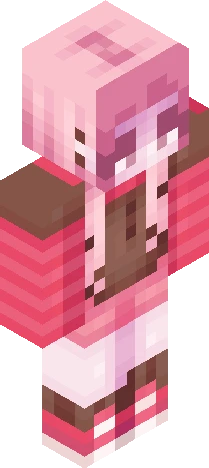
Entry for sunkkissed's tourney: https://www.minecraftskins.com/skin/24278998/--cherry-spruce---r3--/ I don't usually spread the front hair strands to the arms, since the illusion kinda falls apart in game and in the animated preview. However I felt like the torso was covered too much and that hair overload dulled the skin. Thus, hair on arms (not like that though). Additionally, I usually shade the corners of the head to make it seem rounder, but I wanted to include a little more of the "down" half of the the "half-up half-down" style on the head, so those are gone to make room. This also helps transition from the sides of the head to the ponytail better, in my opinion. . . . Wednesday... Pink... I can't just use that name again though... Even though... that was a Friday...
64×64 · classic or slim is detected from the PNG
Eaglercraft · Minecraft
Télécharge le PNG, puis applique-le dans le client Eaglercraft que tu utilises déjà. Les menus varient selon l’hébergeur. Ce site ne distribue pas le jeu.
Standard model · 64×64. Nous ne demandons jamais de mot de passe de jeu. Un fichier de skin n’est que de l’illustration.
64×64 PNG · Java, Bedrock, Eaglercraft
Modifier le skin