Home · Purple · Ruining Wemmbu’s Skin With Shading
Click and drag to rotate
Purple
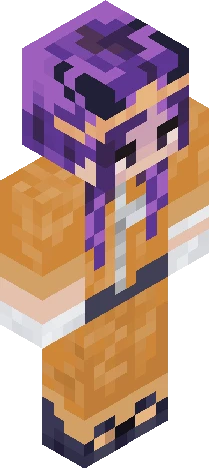
Ruining Wemmbu’s Skin With Shading
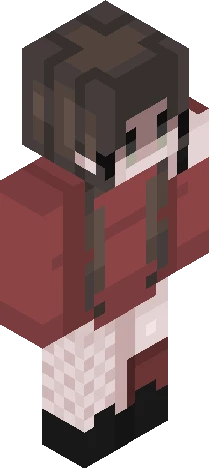
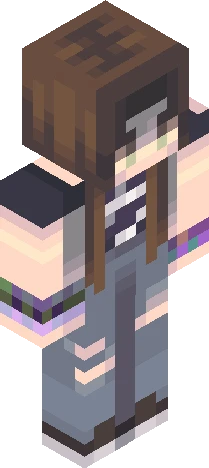
Yap-Time! (This may include slight spoilers for unstable smp) It’s wemmbu! My favorite YouTuber (after Zensk ofc. You should definitely sub to her) I love watching unstable videos. Wemmbu is my favourite main protagonist of Unstable. After that in order: Spoke, Parrot and Flamefrags. Although I like them all. I especially like Spoke’s character with null and stuff. And obviously eggchan is great. My favourite arc has to be mafia arc (towards the end of it) because it’s just the best. It’s nostalgic for me, it has great characters like ashswag and squiddo (I really do hope those two come back to unstable someday) and I just really like the longer content (although 3+ hours is a bit much (and also makes it impossible to catch up if you start watching from ep. 1)). Also the music is great (especially wemmbu’s (well it’s by Azali), it’s soo peak). Also really wish it was possible for wifies to come back (he was the best character in unstable) (still makes great arg videos in my opinion but still), but maybe dead players can be revived, in the underworld or something? The gold block? (Those who watched wemmbu’s underworld episode know). That was it! Thanks if you read all the way! <3
64×64 · classic or slim is detected from the PNG
Eaglercraft · Minecraft
So nutzt du diesen Skin in Eaglercraft
Lade die PNG herunter und wende sie im Eaglercraft-Client an, den du bereits nutzt. Die Menüs unterscheiden sich je nach Host. Diese Website verteilt das Spiel nicht.
- 1Download the PNG with the button above.
- 2Open your Eaglercraft 1.8 client in the browser.
- 3On the title screen, open Options, then the skin control. It is often named Skin or Change Skin.
- 4Upload this PNG, or paste a direct image link if that menu asks for a URL.
- 5Join a world. The skin stays in this browser for that client.
Standard model · 64×64. Wir fragen nie nach einem Spielpasswort. Eine Skin-Datei ist nur Grafik.
Diesen Skin in Minecraft nutzen
- 1Download the same PNG.
- 2In the Minecraft Launcher, open Skins and choose a new skin.
- 3Pick classic or slim so the arms match this skin, then upload the file.
- 4Bedrock can use this artwork where that device lets you import a custom skin PNG. The file itself is the standard Java skin layout.
Similar skins






Hello! I'm verity your personal helper friend ask me anything I know everything
64×64 PNG · Java, Bedrock, Eaglercraft
Skin bearbeiten