Home · Aesthetic · h e r o b r i n e - Important question!
Click and drag to rotate
Aesthetic
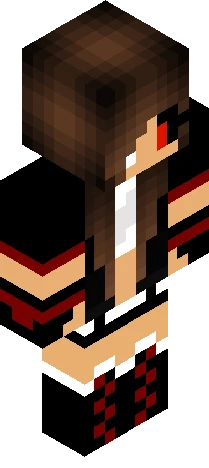
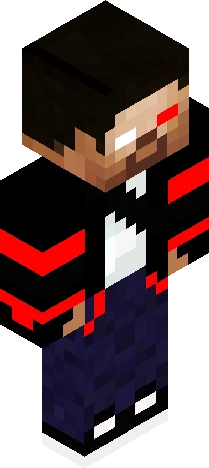
h e r o b r i n e - Important question!
UPDATE: Ive made the channel!: https://www.youtube.com/watch?v=IcjfcNkLUdc Helohelo everyone, today im back with a more detailed skin, actually I guess a spin off from my zombie skin (it has the same look and feel but obvi different). I wanted to make herobrine since i hadn't done so yet teehee. I actually really enjoy making these more detailed skins, idk why but its like calming LOL. ANYWAYS, ok so I was thinking of maybe starting a youtube channel? I already recorded me making this skin and I was wondering if you guys would like a speedpaint of this skin with a voiceover of me over it! I might just post some tutorials or just speed paints, idk but I was just wondering if anyone would be interested to see that lol cause it would be a lil awkward if no one wants that. Im kinda nervous to put myself out there but on the other hand I do want share my work with u all, so lemme know! I hope u all are doing alright, ily <3 NOTE: I have NOT made an account yet so all the 'mochhi' accounts on yt are not mine.
64×64 · classic or slim is detected from the PNG
Eaglercraft · Minecraft
So nutzt du diesen Skin in Eaglercraft
Lade die PNG herunter und wende sie im Eaglercraft-Client an, den du bereits nutzt. Die Menüs unterscheiden sich je nach Host. Diese Website verteilt das Spiel nicht.
- 1Download the PNG with the button above.
- 2Open your Eaglercraft 1.8 client in the browser.
- 3On the title screen, open Options, then the skin control. It is often named Skin or Change Skin.
- 4Upload this PNG, or paste a direct image link if that menu asks for a URL.
- 5Join a world. The skin stays in this browser for that client.
Standard model · 64×64. Wir fragen nie nach einem Spielpasswort. Eine Skin-Datei ist nur Grafik.
Diesen Skin in Minecraft nutzen
- 1Download the same PNG.
- 2In the Minecraft Launcher, open Skins and choose a new skin.
- 3Pick classic or slim so the arms match this skin, then upload the file.
- 4Bedrock can use this artwork where that device lets you import a custom skin PNG. The file itself is the standard Java skin layout.
Similar skins

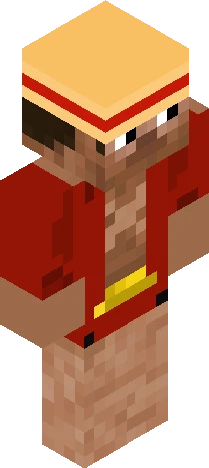

my dad's skin made by KRZMelissaStudioZ / KMZMelissaNova
64×64 PNG · Java, Bedrock, Eaglercraft
Skin bearbeiten