Home · Comics · Green Lantern | John Stewart
Click and drag to rotate
Comics
Green Lantern | John Stewart
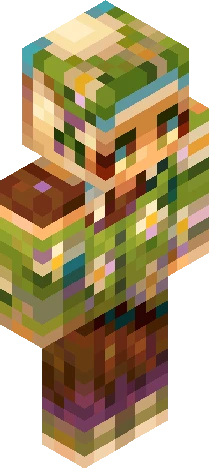
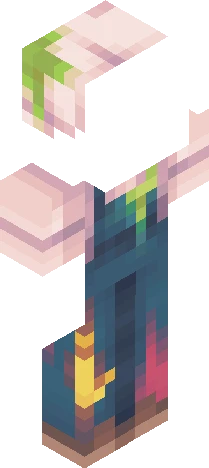
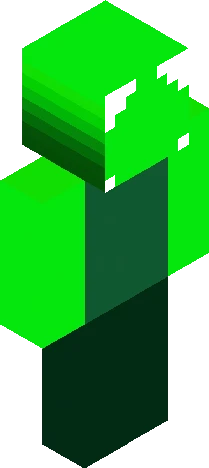
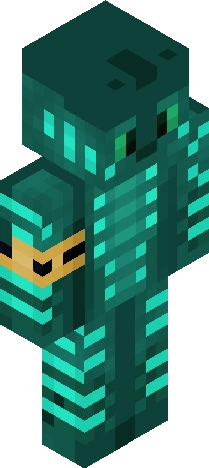
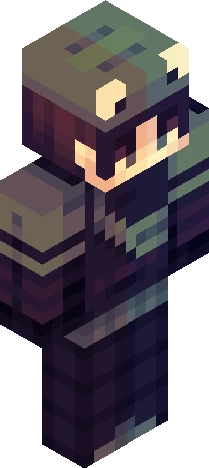
*~See more for details~* This skin is based on the comic book version of Joh Stewart in his comic book outfit as the Green Lantern! Detail: skin is wearing a black and green suit with a lantern logo on the chest. He has green boots and green around his forearms. His suit has green on the upper torso section as well as his shoulders. The black is a dark blue that helps compliment the green. He has green eyes and short black hair with a lighter tone as it goes down. Been enjoying the show and wanted to make John. Never really knew this character that much until watching Lanterns, and I think he's really cool! I've posted some renders of this skin over on my instagram if you'd like to check those out! (and maybe follow and like the post as well? :D) Instagram: goobzert.mc
64×64 · classic or slim is detected from the PNG
Eaglercraft · Minecraft
在 Eaglercraft 中使用这款皮肤
下载 PNG,然后在你已经使用的 Eaglercraft 客户端里应用。菜单因网站而异。本站不提供游戏客户端。
- 1Download the PNG with the button above.
- 2Open your Eaglercraft 1.8 client in the browser.
- 3On the title screen, open Options, then the skin control. It is often named Skin or Change Skin.
- 4Upload this PNG, or paste a direct image link if that menu asks for a URL.
- 5Join a world. The skin stays in this browser for that client.
Standard model · 64×64. 我们不会索要游戏密码。皮肤文件只是图片。
在 Minecraft 中使用这款皮肤
- 1Download the same PNG.
- 2In the Minecraft Launcher, open Skins and choose a new skin.
- 3Pick classic or slim so the arms match this skin, then upload the file.
- 4Bedrock can use this artwork where that device lets you import a custom skin PNG. The file itself is the standard Java skin layout.