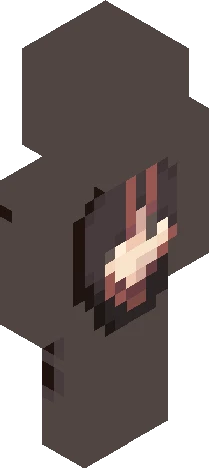
Click and drag to rotate
Vampire
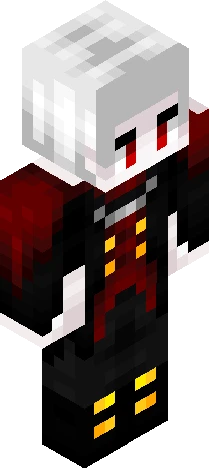
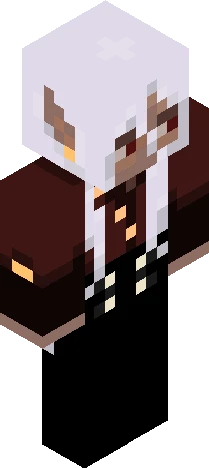
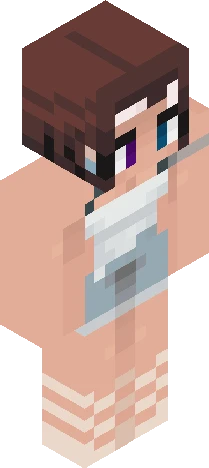
. rosa . persona 🌹
by RosaScarlet · Minecraft Skins community listing
Download . rosa . persona 🌹 Minecraft skin for free. Compatible with Minecraft Java, Bedrock, and Eaglercraft. Tagged vampire, gradienthair, persona, redeyes. Preview it in 3D, open it in the browser-based skin editor, or save the 64×64 PNG.
Uploader notes
I just reshaded and changed some designs of my main persona :3 The palette is more comfortable now White color is the most difficult thing to shade...*dies* About her: Name: Rosa (Rosa Scarlet) | Pronouns: She/Her | Species: Vampire Sunlight won't burn her but can reduce her special ability There is a soul of a cat called Melany living in her body She can summon black cats and white cats. Black cats can attack enemies or preys, and white cats can help her friends or herself She loves cats so much and NEVER tolerates any actions which can hurt cats She usually doesn't like to talk much with others (except friends) and just be enthusiastic on things she loves to do Sometimes she can become very cute like a kitty, and all friends of her think that she is friendly and kind Of course, she is a dangerous existence for human. She only regards human as preys and toys, and her victims will die easily due to her strong appetite...
64×64 · classic or slim is detected from the PNG
Added value
What’s on this skin page
Preview, categories, compatibility, and tools on this page — not a bare file mirror.
- Creator
- RosaScarlet
- Source
- Minecraft Skins community listing · curated on Eaglercraft Studio
- Format
- 64×64 PNG skin texture
- Model
- Classic or slim (detected from the PNG)
- Compatible with
- Eaglercraft · Minecraft Java · Bedrock (classic skin import)
- Studio tools
- 3D preview · browser editor · avatar maker
- Categories
- Vampire, gradienthair, persona, redeyes
Download
How to download this free skin
- 1Click Download skin to save the free PNG.
- 2Follow Use in Eaglercraft below for client steps, or import the file in Minecraft Java (Profile → Skins).
- 3Optional: open Avatar maker for a Discord / YouTube profile picture from the same texture.
Downloads are free. An optional account only saves favorites across devices.
Edit
How to edit this skin
- 1Open Edit skin to load this PNG in the browser editor.
- 2Paint, swap layers, or remix parts — changes stay on your device until you download.
- 3Export a new 64×64 PNG and use it in Eaglercraft or Minecraft Java.
Eaglercraft · Minecraft
在 Eaglercraft 中使用这款皮肤
下载 PNG,然后在你已经使用的 Eaglercraft 客户端里应用。菜单因网站而异。本站不提供游戏客户端。
- 1Download the PNG with the button above.
- 2Open your Eaglercraft 1.8 client in the browser.
- 3On the title screen, open Options, then the skin control. It is often named Skin or Change Skin.
- 4Upload this PNG, or paste a direct image link if that menu asks for a URL.
- 5Join a world. The skin stays in this browser for that client.
Standard model · 64×64. 我们不会索要游戏密码。皮肤文件只是图片。
在 Minecraft 中使用这款皮肤
- 1Download the same PNG.
- 2In the Minecraft Launcher, open Skins and choose a new skin.
- 3Pick classic or slim so the arms match this skin, then upload the file.
- 4Bedrock can use this artwork where that device lets you import a custom skin PNG. The file itself is the standard Java skin layout.
Similar skins
More library skins from related categories — curated for discovery, not random filler.