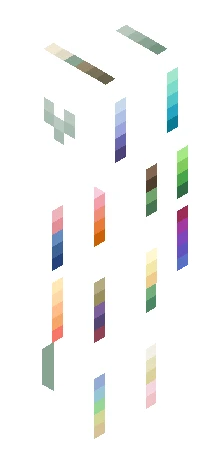
Home · Bysunset · -=300 Follower Contest Results=-
Click and drag to rotate
Bysunset
-=300 Follower Contest Results=-
Show moar It was very hard to choose the top places because you all did great, but here’s our winners! HM: pickleperson27~ https://www.minecraftskins.com/skin/24339622/bonk-life-on-the-head-and-run-away-screaming/ I just love this title XD thatdxppressedwolfy~ https://www.minecraftskins.com/skin/24317301/sleep-deprived-lemon-working-overtime-at-the-button-factory/ really cute skin <33 I was only gonna put two honorable mentions, but I would just like to say I loved Honeybee467’s title as well and her skin is cute https://www.minecraftskins.com/skin/24327964/-when-life-gives-you-lemons--ask-god-to-turn-them-into-wine--ce/ Okayyy now for third place! LunarSketches~ https://www.minecraftskins.com/skin/24292534/---if-life-gives-you-lemons--squeeze-them-into-the-eyes-of-your-enemies---/ Adorable skin and amazing title I just love it! Second place isss Silverstruck~ https://www.minecraftskins.com/skin/24313072/when-life-gives-you-lemons--ask-why---ce/ I LOVE the shading and the creativity and thought behind the title you did really well And last but not least. . . . imperfections in first place!!! There’s not enough space here to put the url of her skin so check the comments ToT
64×64 · classic or slim is detected from the PNG
Eaglercraft · Minecraft
How to use this skin in Eaglercraft
Download the PNG, then apply it in the Eaglercraft client you already use. Menus differ by host. This site does not distribute the game.
- 1Download the PNG with the button above.
- 2Open your Eaglercraft 1.8 client in the browser.
- 3On the title screen, open Options, then the skin control. It is often named Skin or Change Skin.
- 4Upload this PNG, or paste a direct image link if that menu asks for a URL.
- 5Join a world. The skin stays in this browser for that client.
Standard model · 64×64. We never ask for a game password. A skin file is only artwork.
Use this skin in Minecraft
- 1Download the same PNG.
- 2In the Minecraft Launcher, open Skins and choose a new skin.
- 3Pick classic or slim so the arms match this skin, then upload the file.
- 4Bedrock can use this artwork where that device lets you import a custom skin PNG. The file itself is the standard Java skin layout.