
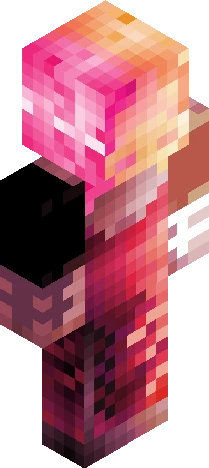
Home · Captain · pirate persona
Click and drag to rotate
Captain
pirate persona
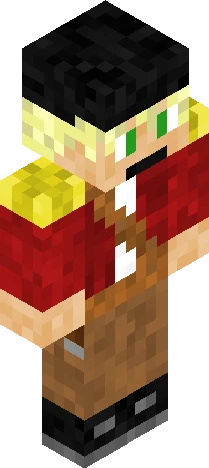
. okay so yeah i made another persona but, i have an actual excuse this time!!11!!11 yesterday i was playing minecraft with two friends (shoutout to them they know who they are) and i got inspired by them talking about the lolcat language and so i decided to enable pirate speak (the seven seas) language in minecraft for the rest of the month and to fit the theme i decided to use a pirate skin buti didn't have a new one so i used this one https://www.minecraftskins.com/skin/23014829/pirate-skylar/ </3 which is EW YUCK IWEOHJOI the shading and colors and outer layer and just like everything about the skin makes me want to throw up soo i decided to make a pirate version of my persona and, here it is :P also, i took light inspiration from this skin https://www.minecraftskins.com/skin/21461363/summer-breeze/ <3 also oh mah gawsh its that thing again where the skin looks amazing in the editor but the preview in the upload screen looks awful T-T i hope it looks good in game lol uh arr, matey!! (i've always wanted to do that) help that was so cringe why'd i do that (tag edit hehehe rachelpersona
64×64 · classic or slim is detected from the PNG
Eaglercraft · Minecraft
How to use this skin in Eaglercraft
Download the PNG, then apply it in the Eaglercraft client you already use. Menus differ by host. This site does not distribute the game.
- 1Download the PNG with the button above.
- 2Open your Eaglercraft 1.8 client in the browser.
- 3On the title screen, open Options, then the skin control. It is often named Skin or Change Skin.
- 4Upload this PNG, or paste a direct image link if that menu asks for a URL.
- 5Join a world. The skin stays in this browser for that client.
Standard model · 64×64. We never ask for a game password. A skin file is only artwork.
Use this skin in Minecraft
- 1Download the same PNG.
- 2In the Minecraft Launcher, open Skins and choose a new skin.
- 3Pick classic or slim so the arms match this skin, then upload the file.
- 4Bedrock can use this artwork where that device lets you import a custom skin PNG. The file itself is the standard Java skin layout.
![[ULTRA Rich 2] Jaden_MAN Minecraft skin preview](https://cdn.eaglercraft.studio/skins/m24366666/preview.webp)


