

Home · skindexholidays · rhyming day -:- skindex holidays
Click and drag to rotate
skindexholidays
rhyming day -:- skindex holidays
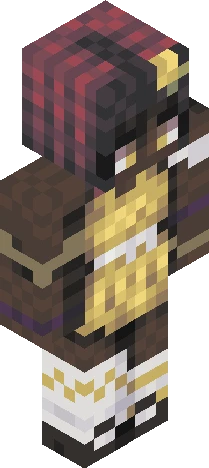
sorry, everyone, for the title without a rhyme i couldnt think of one this time D: rhyming day is celebrated on the 29th day of september, to be clear celebrate it a moment earlier and i may shed a tear :( rhyming day is pretty self-explanatory you just have to rhyme all your sentences, that part is mandatory it doesnt matter if its a slant rhyme or whatever, i dont care as long as it sounds pretty <3 keep in mind you might have to get witty see yall around -Nona (rhyme not found)
skindexholidaysEaglercraft
64×64 · classic or slim is detected from the PNG
Eaglercraft · Minecraft
Bu skini Eaglercraft’ta kullan
PNG’yi indir, sonra hâlihazırda kullandığın Eaglercraft istemcisinde uygula. Menüler siteye göre değişir. Bu site oyunu dağıtmaz.
- 1Download the PNG with the button above.
- 2Open your Eaglercraft 1.8 client in the browser.
- 3On the title screen, open Options, then the skin control. It is often named Skin or Change Skin.
- 4Upload this PNG, or paste a direct image link if that menu asks for a URL.
- 5Join a world. The skin stays in this browser for that client.
Standard model · 64×64. Oyun şifresi istemeyiz. Bir skin dosyası yalnızca görseldir.
Bu skini Minecraft’ta kullan
- 1Download the same PNG.
- 2In the Minecraft Launcher, open Skins and choose a new skin.
- 3Pick classic or slim so the arms match this skin, then upload the file.
- 4Bedrock can use this artwork where that device lets you import a custom skin PNG. The file itself is the standard Java skin layout.
Similar skins
