Home · berrymatcharc · sentient
Click and drag to rotate
berrymatcharc
sentient
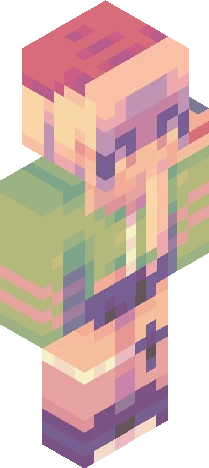
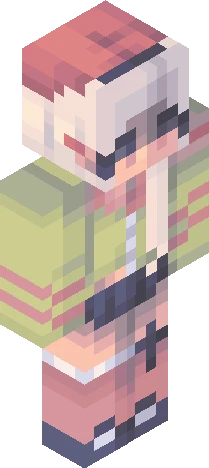
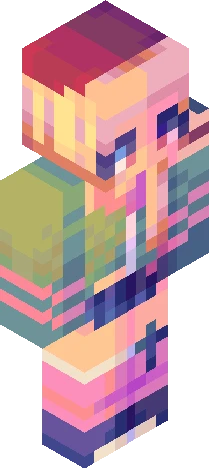
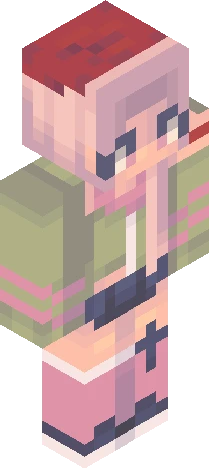
she looks like she has ptsd from fighting in world war 2. my deepest apologies to aesoong for turning her unshaded base into this ugly duckling. my friend used the term "sentient" to describe the feeling of being conscious and having a conscience. i was very inspired by the notion of being able to reflect on the past self through the development of sentience. someone composed of the contentness of the past and the reality of the present can only become someone better in the future. truly a wise friend i have. https://www.minecraftskins.com/skin/24302629/700-likes-rc/ p.s. the png file looks extra nice for this skin !
berrymatcharcEaglercraft
64×64 · classic or slim is detected from the PNG
Eaglercraft · Minecraft
How to use this skin in Eaglercraft
Download the PNG, then apply it in the Eaglercraft client you already use. Menus differ by host. This site does not distribute the game.
- 1Download the PNG with the button above.
- 2Open your Eaglercraft 1.8 client in the browser.
- 3On the title screen, open Options, then the skin control. It is often named Skin or Change Skin.
- 4Upload this PNG, or paste a direct image link if that menu asks for a URL.
- 5Join a world. The skin stays in this browser for that client.
Standard model · 64×64. We never ask for a game password. A skin file is only artwork.
Use this skin in Minecraft
- 1Download the same PNG.
- 2In the Minecraft Launcher, open Skins and choose a new skin.
- 3Pick classic or slim so the arms match this skin, then upload the file.
- 4Bedrock can use this artwork where that device lets you import a custom skin PNG. The file itself is the standard Java skin layout.