Home · Armour · Tinted Steel // CE
Click and drag to rotate
Armour
Tinted Steel // CE
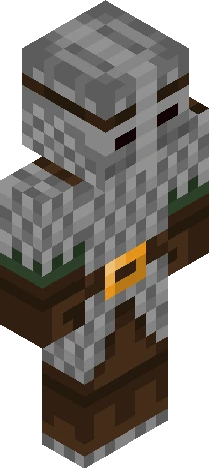
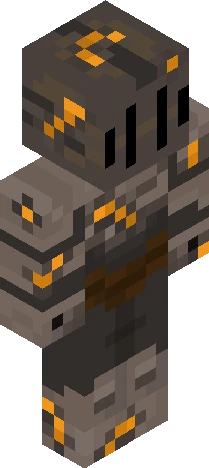
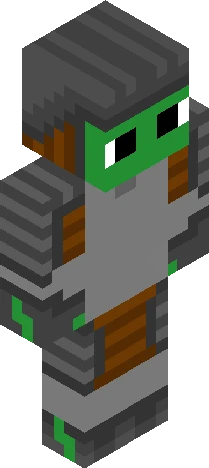
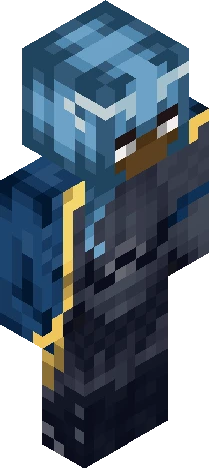
v expand for info v Entry for Dazzle's themed contest! If it still counts, that is.. o<o -> https://www.minecraftskins.com/skin/24249502/the-sea-between-lands---1200-follower-contest/ I've been working on this for the past few weeks; although I have another skin finished, I wanted to put this out first (even though it's over the deadline, sorry!).. my inspiration is Renaissance armour! I noticed that between this and Medieval pieces, Renaissance armour is extensively intricate- there's a lot of smaller engravings(?), more curved shaping and golden coloured bits across the entire suit. I tried to find accurate images of historical armour, but it's hard to tell what's correct and what's not- nevertheless (and paired with the horrible timing) I completely understand if this doesn't count! c: Either way this goes, I hope you all enjoy and thank you for viewing ~ ! <3
64×64 · classic or slim is detected from the PNG
Eaglercraft · Minecraft
How to use this skin in Eaglercraft
Download the PNG, then apply it in the Eaglercraft client you already use. Menus differ by host. This site does not distribute the game.
- 1Download the PNG with the button above.
- 2Open your Eaglercraft 1.8 client in the browser.
- 3On the title screen, open Options, then the skin control. It is often named Skin or Change Skin.
- 4Upload this PNG, or paste a direct image link if that menu asks for a URL.
- 5Join a world. The skin stays in this browser for that client.
Standard model · 64×64. We never ask for a game password. A skin file is only artwork.
Use this skin in Minecraft
- 1Download the same PNG.
- 2In the Minecraft Launcher, open Skins and choose a new skin.
- 3Pick classic or slim so the arms match this skin, then upload the file.
- 4Bedrock can use this artwork where that device lets you import a custom skin PNG. The file itself is the standard Java skin layout.
![*+// k n i g h t //+* ['special effect'] Minecraft skin preview](https://cdn.eaglercraft.studio/skins/m21217119/preview.webp)