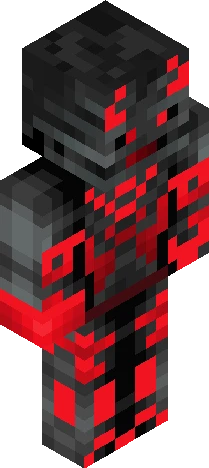
Home · Demon · Nightmare fuel(by Maidubai)
Click and drag to rotate
Demon
Nightmare fuel(by Maidubai)
!THIS SKIN IS NOT TAKEN/COPIED.ITS SIMPLY A REDESIGN OF A OTHER ONE!Nightmare fuel by Maidubai who i redesigned.Hi Maidubai if you see this.You can ask me to take this down but...pls dont!It took much effort to make and i put blood and sweat into this.I made this because i thought it was a cool concept but had lack of design so i remade it.Hopw you enjoy and everyone else too.BTW ALL THE SUPPORT GOES TO MAIDUBAI BCS IT WASNT MY IDEA BUT ONLY DESIGN.you can aprecciate the design tho
64×64 · classic or slim is detected from the PNG
Eaglercraft · Minecraft
How to use this skin in Eaglercraft
Download the PNG, then apply it in the Eaglercraft client you already use. Menus differ by host. This site does not distribute the game.
- 1Download the PNG with the button above.
- 2Open your Eaglercraft 1.8 client in the browser.
- 3On the title screen, open Options, then the skin control. It is often named Skin or Change Skin.
- 4Upload this PNG, or paste a direct image link if that menu asks for a URL.
- 5Join a world. The skin stays in this browser for that client.
Standard model · 64×64. We never ask for a game password. A skin file is only artwork.
Use this skin in Minecraft
- 1Download the same PNG.
- 2In the Minecraft Launcher, open Skins and choose a new skin.
- 3Pick classic or slim so the arms match this skin, then upload the file.
- 4Bedrock can use this artwork where that device lets you import a custom skin PNG. The file itself is the standard Java skin layout.
Similar skins




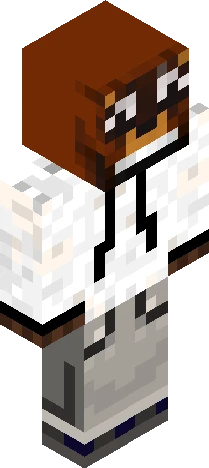
Rubius: "Muy buenas criaturas del averno" B&W Version
64×64 PNG · Java, Bedrock, Eaglercraft
Edit skin