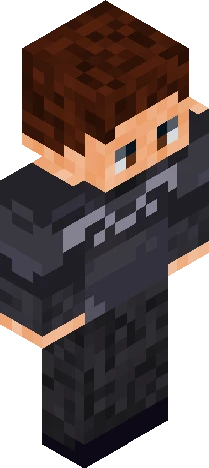
Click and drag to rotate
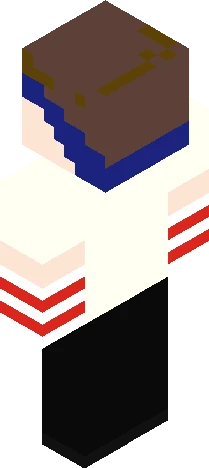
Boy
My OC, SwagRum!
He's a glitch-based OC, you can find info about him here - https://docs.google.com/document/d/1H2oPwPgk0bEWr6D-k_DieVcq7fQNGUBne4fnNKp6Qjc/edit?pli=1&tab=t.0 Also, feel free to use this skin as a base for other skins. Also feel free to use this skin for anything you want, and edit it in any way, aswell as make variations of it. If you want to make me a fanskin or something, feel free to. Don't forget to put my tag for skin credit!
64×64 · classic or slim is detected from the PNG
Eaglercraft · Minecraft
Как использовать этот скин в Eaglercraft
Скачайте PNG и примените его в клиенте Eaglercraft, которым вы уже пользуетесь. Меню зависят от сайта. Этот сайт не распространяет игру.
- 1Download the PNG with the button above.
- 2Open your Eaglercraft 1.8 client in the browser.
- 3On the title screen, open Options, then the skin control. It is often named Skin or Change Skin.
- 4Upload this PNG, or paste a direct image link if that menu asks for a URL.
- 5Join a world. The skin stays in this browser for that client.
Standard model · 64×64. Мы никогда не просим пароль от игры. Файл скина — только картинка.
Использовать этот скин в Minecraft
- 1Download the same PNG.
- 2In the Minecraft Launcher, open Skins and choose a new skin.
- 3Pick classic or slim so the arms match this skin, then upload the file.
- 4Bedrock can use this artwork where that device lets you import a custom skin PNG. The file itself is the standard Java skin layout.
![*+// k n i g h t //+* ['special effect'] Minecraft skin preview](https://cdn.eaglercraft.studio/skins/m21217119/preview.webp)