Home · 30followers · Freaking easy!
Click and drag to rotate
30followers
Freaking easy!
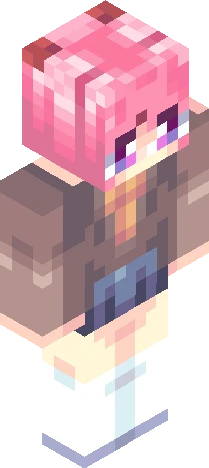
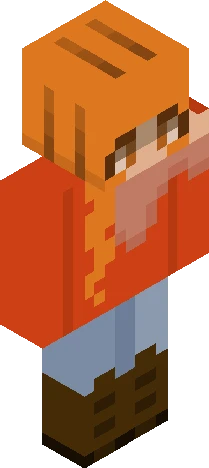
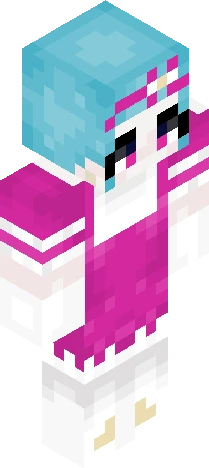
"GG, freaking easy-" "hey don't say that!" "Freaking easy." og skin : https://www.minecraftskins.com/skin/21897499/pink-rainbow-hair-girl/ Reshade (or redesign?) of this skin! thank you guys for the 30 (31?) followers !! im glad we made it to this goal !!! now up to 100 yes? JKJK (and thoses who like the pink in the og skin im SORRY i hated it) gg byee
64×64 · classic or slim is detected from the PNG
Eaglercraft · Minecraft
Как использовать этот скин в Eaglercraft
Скачайте PNG и примените его в клиенте Eaglercraft, которым вы уже пользуетесь. Меню зависят от сайта. Этот сайт не распространяет игру.
- 1Download the PNG with the button above.
- 2Open your Eaglercraft 1.8 client in the browser.
- 3On the title screen, open Options, then the skin control. It is often named Skin or Change Skin.
- 4Upload this PNG, or paste a direct image link if that menu asks for a URL.
- 5Join a world. The skin stays in this browser for that client.
Standard model · 64×64. Мы никогда не просим пароль от игры. Файл скина — только картинка.
Использовать этот скин в Minecraft
- 1Download the same PNG.
- 2In the Minecraft Launcher, open Skins and choose a new skin.
- 3Pick classic or slim so the arms match this skin, then upload the file.
- 4Bedrock can use this artwork where that device lets you import a custom skin PNG. The file itself is the standard Java skin layout.