Home · 100 · * Updates !! * (( 100 followers <3 ))
Click and drag to rotate
100
* Updates !! * (( 100 followers <3 ))
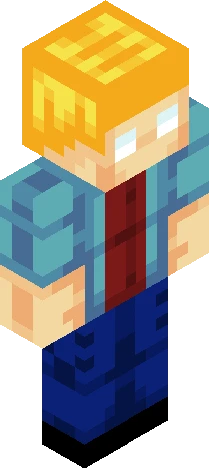
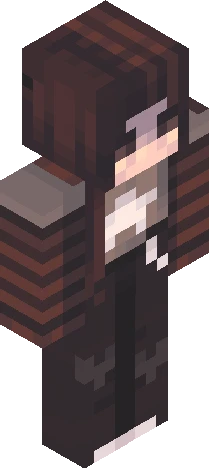
See more pls ^^ Hello! I just wanted to give an update on what I've been up to and what i have planned. THANK YOU ALL FOR 100+ FOLLOWERS!!! And ty for 4k+ likes ^^ Ik im late BUT- I want to do something for 100 followers, maybe a contest.. idk! But u guys deserve smth. Sry skins have been slow- School has been keeping me busy, and I've been trying to learn how to animate! I'm also busy working on trying to get my IT certification, and some of the skins I make I don't post :'D I have a little update on the Hive Streamer Awards, they moved end of voting to October 9th.. i need to lock in. If you're new here, or unaware, I was nominated for "Best Moderator" and I mod for 32 hive youtubers. At the end of the day, im SOO thankful I got nominated, but I actually want to try to win this time. /-/-/-/-/-/-/-/-/- Wanna help me win hive streamer awards? <3 https://www.minecraftskins.com/skin/24311174/---skindex-can-u-help--------hive-style/
64×64 · classic or slim is detected from the PNG
Eaglercraft · Minecraft
이 스킨을 Eaglercraft에서 사용하기
PNG를 받은 뒤, 이미 쓰는 Eaglercraft 클라이언트에서 적용하세요. 메뉴는 사이트마다 다릅니다. 이 사이트는 게임을 배포하지 않습니다.
- 1Download the PNG with the button above.
- 2Open your Eaglercraft 1.8 client in the browser.
- 3On the title screen, open Options, then the skin control. It is often named Skin or Change Skin.
- 4Upload this PNG, or paste a direct image link if that menu asks for a URL.
- 5Join a world. The skin stays in this browser for that client.
Standard model · 64×64. 게임 비밀번호는 요청하지 않습니다. 스킨 파일은 그림일 뿐입니다.
이 스킨을 Minecraft에서 사용하기
- 1Download the same PNG.
- 2In the Minecraft Launcher, open Skins and choose a new skin.
- 3Pick classic or slim so the arms match this skin, then upload the file.
- 4Bedrock can use this artwork where that device lets you import a custom skin PNG. The file itself is the standard Java skin layout.