Home · Armour · Tinted Steel // CE
Click and drag to rotate
Armour
Tinted Steel // CE
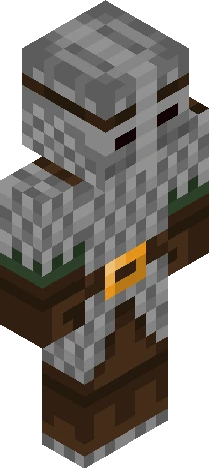
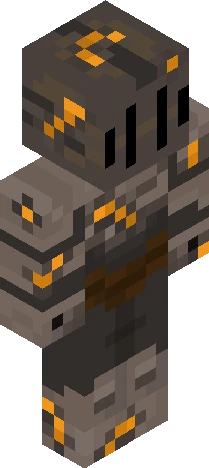
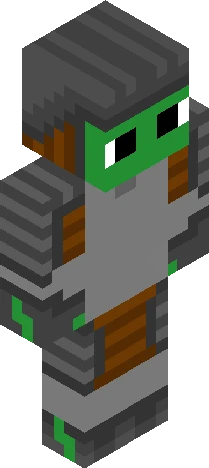
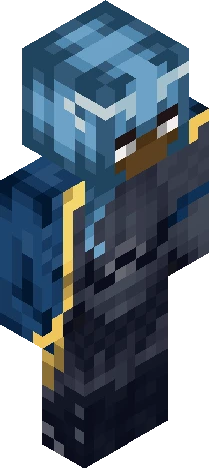
v expand for info v Entry for Dazzle's themed contest! If it still counts, that is.. o<o -> https://www.minecraftskins.com/skin/24249502/the-sea-between-lands---1200-follower-contest/ I've been working on this for the past few weeks; although I have another skin finished, I wanted to put this out first (even though it's over the deadline, sorry!).. my inspiration is Renaissance armour! I noticed that between this and Medieval pieces, Renaissance armour is extensively intricate- there's a lot of smaller engravings(?), more curved shaping and golden coloured bits across the entire suit. I tried to find accurate images of historical armour, but it's hard to tell what's correct and what's not- nevertheless (and paired with the horrible timing) I completely understand if this doesn't count! c: Either way this goes, I hope you all enjoy and thank you for viewing ~ ! <3
64×64 · classic or slim is detected from the PNG
Eaglercraft · Minecraft
이 스킨을 Eaglercraft에서 사용하기
PNG를 받은 뒤, 이미 쓰는 Eaglercraft 클라이언트에서 적용하세요. 메뉴는 사이트마다 다릅니다. 이 사이트는 게임을 배포하지 않습니다.
- 1Download the PNG with the button above.
- 2Open your Eaglercraft 1.8 client in the browser.
- 3On the title screen, open Options, then the skin control. It is often named Skin or Change Skin.
- 4Upload this PNG, or paste a direct image link if that menu asks for a URL.
- 5Join a world. The skin stays in this browser for that client.
Standard model · 64×64. 게임 비밀번호는 요청하지 않습니다. 스킨 파일은 그림일 뿐입니다.
이 스킨을 Minecraft에서 사용하기
- 1Download the same PNG.
- 2In the Minecraft Launcher, open Skins and choose a new skin.
- 3Pick classic or slim so the arms match this skin, then upload the file.
- 4Bedrock can use this artwork where that device lets you import a custom skin PNG. The file itself is the standard Java skin layout.
![*+// k n i g h t //+* ['special effect'] Minecraft skin preview](https://cdn.eaglercraft.studio/skins/m21217119/preview.webp)