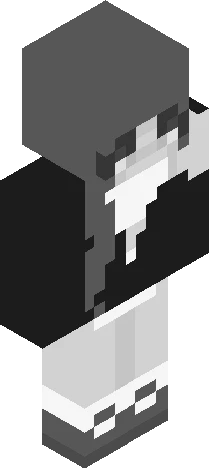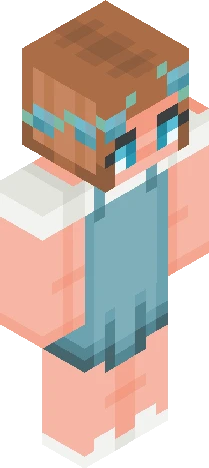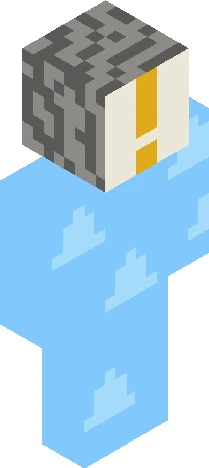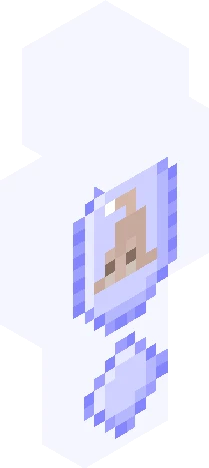
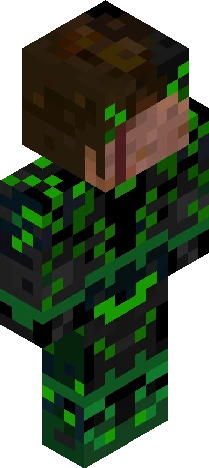
Click and drag to rotate
SpiderMan
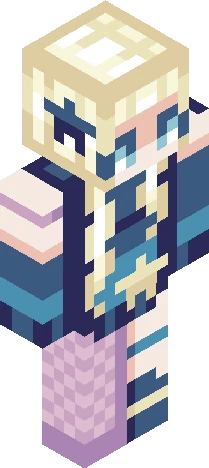
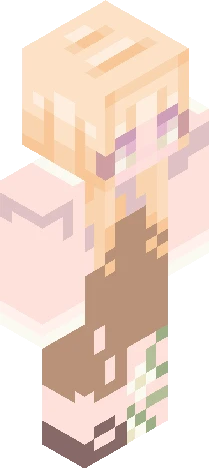
spider-sona // 300 followers contest
by Snailchowder · Minecraft Skins community listing
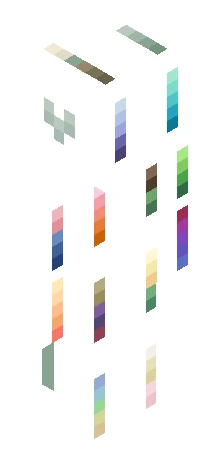
Download spider-sona // 300 followers contest Minecraft skin for free. Compatible with Minecraft Java, Bedrock, and Eaglercraft. Tagged spiderman, contest, ilovespiderman300, spidersona. Preview it in 3D, open it in the browser-based skin editor, or save the 64×64 PNG.
Uploader notes
hey guys! (click show more) I watched "spider-man: brand new day" today. IT WAS SOOO GOOD and i was sobbing throughout the entirety of it :,) ... i love spider-man <3 the reason why i waited to post this was so i could watch the movie before-hand :P in case i hadn't made it obvious, the theme of this contest is your spider-sona! or really anything spider-man related. ideas: - your version of spider-man/you as spider-man - a skin of any existing spider-character - a redesign of an existing spider-character (e.g. miles morales, gwen stacy, any of the peter parkers) - a crossover between spider-man and another hero - basically anythinggg spider-man related as long as it's in your own style. *the character can be in or out of costume it's all up to you! rules: - no invite needed! - skindex rules - tag with " ilovespiderman300 " (get it? ;-;) - comment the link of your finished skin below - due date is september 30th thank you guys again!!
64×64 · classic or slim is detected from the PNG
Added value
What’s on this skin page
Preview, categories, compatibility, and tools on this page — not a bare file mirror.
- Creator
- Snailchowder
- Source
- Minecraft Skins community listing · curated on Eaglercraft Studio
- Format
- 64×64 PNG skin texture
- Model
- Classic or slim (detected from the PNG)
- Compatible with
- Eaglercraft · Minecraft Java · Bedrock (classic skin import)
- Studio tools
- 3D preview · browser editor · avatar maker
- Categories
- SpiderMan, contest, ilovespiderman300, spidersona
Download
How to download this free skin
- 1Click Download skin to save the free PNG.
- 2Follow Use in Eaglercraft below for client steps, or import the file in Minecraft Java (Profile → Skins).
- 3Optional: open Avatar maker for a Discord / YouTube profile picture from the same texture.
Downloads are free. An optional account only saves favorites across devices.
Edit
How to edit this skin
- 1Open Edit skin to load this PNG in the browser editor.
- 2Paint, swap layers, or remix parts — changes stay on your device until you download.
- 3Export a new 64×64 PNG and use it in Eaglercraft or Minecraft Java.
Eaglercraft · Minecraft
이 스킨을 Eaglercraft에서 사용하기
PNG를 받은 뒤, 이미 쓰는 Eaglercraft 클라이언트에서 적용하세요. 메뉴는 사이트마다 다릅니다. 이 사이트는 게임을 배포하지 않습니다.
- 1Download the PNG with the button above.
- 2Open your Eaglercraft 1.8 client in the browser.
- 3On the title screen, open Options, then the skin control. It is often named Skin or Change Skin.
- 4Upload this PNG, or paste a direct image link if that menu asks for a URL.
- 5Join a world. The skin stays in this browser for that client.
Standard model · 64×64. 게임 비밀번호는 요청하지 않습니다. 스킨 파일은 그림일 뿐입니다.
이 스킨을 Minecraft에서 사용하기
- 1Download the same PNG.
- 2In the Minecraft Launcher, open Skins and choose a new skin.
- 3Pick classic or slim so the arms match this skin, then upload the file.
- 4Bedrock can use this artwork where that device lets you import a custom skin PNG. The file itself is the standard Java skin layout.
Similar skins
More library skins from related categories — curated for discovery, not random filler.