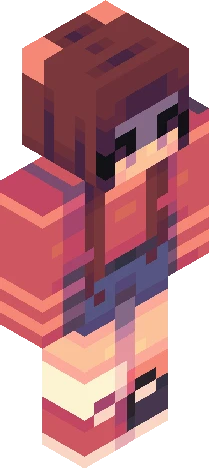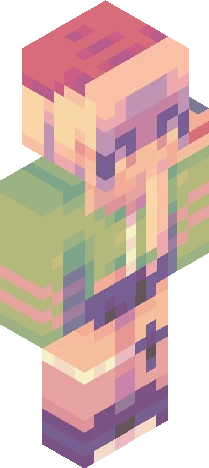
Home · bypog · where have i been?! (desc)
Click and drag to rotate
bypog
where have i been?! (desc)
vvv so.....it's been a while (almost exactly 6 months) and i just wanted to let u guys know where i went if you didn't know already lol basically i started a youtube channel 6 months ago about katseye and kpop and never looked back to skindex- i also quit partly because i stopped playing minecraft, so there was really no use for skindex other than having fun making skins and it honestly got kind of boring at the time. i would've come back earlier to explain or smth but i got insanely busy during these 6 months with my youtube channel (which now has over 25k subscribers actually) and life in general like schoolwork and pickleball also i'm just saying all this because it might've been a little bit weird for everyone when i just randomly disappeared for 6 months so YEAH :'D anyway, even though i'm still very busy, i'm not quitting fr because i want the option of coming back and making a skin whenever i feel like it yk :) i hope this doesn't flop bc i haven't uploaded a skin in so long and everyone lowkey forgot about me :skull: byeeeee <3
bypogEaglercraft
64×64 · classic or slim is detected from the PNG
Eaglercraft · Minecraft
このスキンを Eaglercraft で使う
PNG をダウンロードし、今使っている Eaglercraft クライアントで適用します。メニューはホストごとに違います。このサイトはゲーム本体を配布しません。
- 1Download the PNG with the button above.
- 2Open your Eaglercraft 1.8 client in the browser.
- 3On the title screen, open Options, then the skin control. It is often named Skin or Change Skin.
- 4Upload this PNG, or paste a direct image link if that menu asks for a URL.
- 5Join a world. The skin stays in this browser for that client.
Standard model · 64×64. ゲームのパスワードは聞きません。スキンファイルは画像だけです。
このスキンを Minecraft で使う
- 1Download the same PNG.
- 2In the Minecraft Launcher, open Skins and choose a new skin.
- 3Pick classic or slim so the arms match this skin, then upload the file.
- 4Bedrock can use this artwork where that device lets you import a custom skin PNG. The file itself is the standard Java skin layout.
Similar skins