Home · Black · ~= The Way it used to be =~
Click and drag to rotate
Black
~= The Way it used to be =~
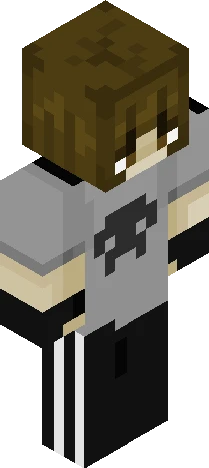
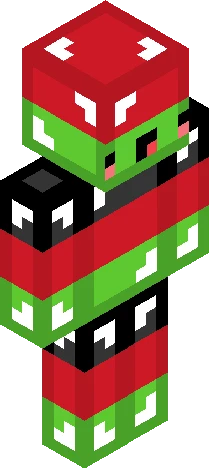
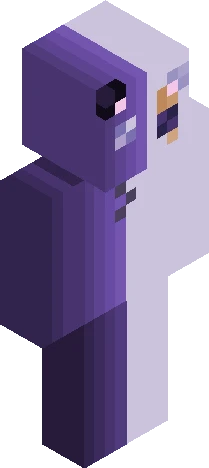
ello Duckies or Humanoids OG: https://namemc.com/skin/183a001ceacf4f41 Old Skin Remake :D Never posted this one but oh well ( 3rd Skin ever worn, 2nd ever made btw ) Somehow I used to think this was peak </3 I might've improved like...a tiny bit Song: { Static ~ FLAVOR FOLEY } PMC: https://www.planetminecraft.com/skin/the-way-it-used-to-be/ NameMC: https://namemc.com/skin/7ca55ab565e265f3
64×64 · classic or slim is detected from the PNG
Eaglercraft · Minecraft
このスキンを Eaglercraft で使う
PNG をダウンロードし、今使っている Eaglercraft クライアントで適用します。メニューはホストごとに違います。このサイトはゲーム本体を配布しません。
- 1Download the PNG with the button above.
- 2Open your Eaglercraft 1.8 client in the browser.
- 3On the title screen, open Options, then the skin control. It is often named Skin or Change Skin.
- 4Upload this PNG, or paste a direct image link if that menu asks for a URL.
- 5Join a world. The skin stays in this browser for that client.
Standard model · 64×64. ゲームのパスワードは聞きません。スキンファイルは画像だけです。
このスキンを Minecraft で使う
- 1Download the same PNG.
- 2In the Minecraft Launcher, open Skins and choose a new skin.
- 3Pick classic or slim so the arms match this skin, then upload the file.
- 4Bedrock can use this artwork where that device lets you import a custom skin PNG. The file itself is the standard Java skin layout.