

Click and drag to rotate
SWIM100
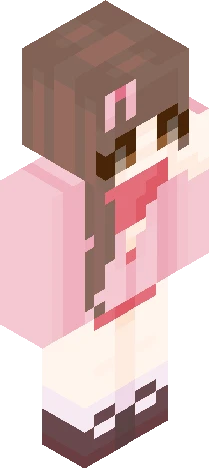
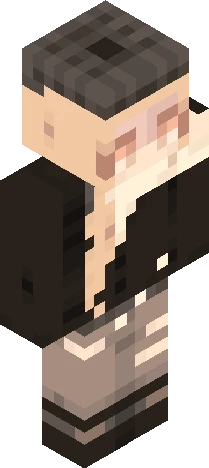
-Dogwood trees are blooming- pce/rrce
by Honeybee467 · Minecraft Skins community listing
-Dogwood trees are blooming- pce/rrce is a free 64×64 Minecraft skin PNG in the Eaglercraft Studio library. Tagged swim100, light sourcing, palette contest, pink cardigan. Compatible with Eaglercraft and Minecraft Java — rotate the 3D viewer, edit online, or download.
Uploader notes
For Sswiminggoat’s reshade: https://www.minecraftskins.com/skin/24334436/--*-palette-contest-*----for-100----/ The palette I chose is on the left sleeve I really love this one!!! I’ve really been liking putting more work and time into my skins and adding lil bits of light sourcing! I think my most recent skins are some of my favorite of all time ^^ If you have any constructive/helpful feedback, please let me know! <333
64×64 · classic or slim is detected from the PNG
Added value
What’s on this skin page
Preview, categories, compatibility, and tools on this page — not a bare file mirror.
- Creator
- Honeybee467
- Source
- Minecraft Skins community listing · curated on Eaglercraft Studio
- Format
- 64×64 PNG skin texture
- Model
- Classic or slim (detected from the PNG)
- Compatible with
- Eaglercraft · Minecraft Java · Bedrock (classic skin import)
- Studio tools
- 3D preview · browser editor · avatar maker
- Categories
- SWIM100, light sourcing, palette contest, pink cardigan
Download
How to download this free skin
- 1Click Download skin to save the free PNG.
- 2Follow Use in Eaglercraft below for client steps, or import the file in Minecraft Java (Profile → Skins).
- 3Optional: open Avatar maker for a Discord / YouTube profile picture from the same texture.
Downloads are free. An optional account only saves favorites across devices.
Edit
How to edit this skin
- 1Open Edit skin to load this PNG in the browser editor.
- 2Paint, swap layers, or remix parts — changes stay on your device until you download.
- 3Export a new 64×64 PNG and use it in Eaglercraft or Minecraft Java.
Eaglercraft · Minecraft
このスキンを Eaglercraft で使う
PNG をダウンロードし、今使っている Eaglercraft クライアントで適用します。メニューはホストごとに違います。このサイトはゲーム本体を配布しません。
- 1Download the PNG with the button above.
- 2Open your Eaglercraft 1.8 client in the browser.
- 3On the title screen, open Options, then the skin control. It is often named Skin or Change Skin.
- 4Upload this PNG, or paste a direct image link if that menu asks for a URL.
- 5Join a world. The skin stays in this browser for that client.
Standard model · 64×64. ゲームのパスワードは聞きません。スキンファイルは画像だけです。
このスキンを Minecraft で使う
- 1Download the same PNG.
- 2In the Minecraft Launcher, open Skins and choose a new skin.
- 3Pick classic or slim so the arms match this skin, then upload the file.
- 4Bedrock can use this artwork where that device lets you import a custom skin PNG. The file itself is the standard Java skin layout.
Similar skins
More library skins from related categories — curated for discovery, not random filler.

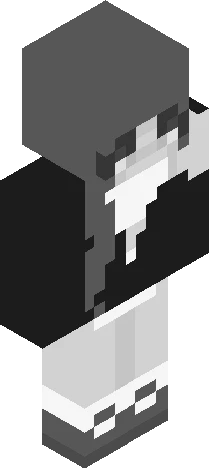

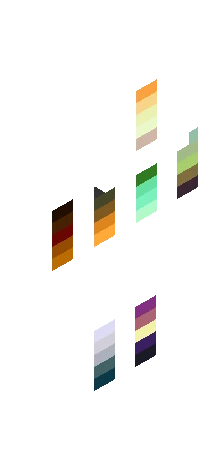
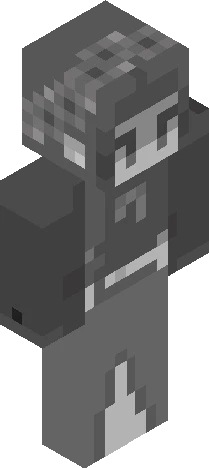
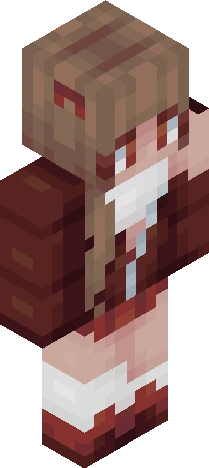
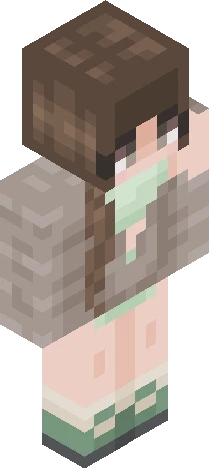
800 Followers Palette Contest ~ Read Description Prior to Joining
64×64 PNG · Java, Bedrock, Eaglercraft