
NFZ Texture Pack (c0.28 - c0.30)
by N-Mux · 2026-09-13 · Texture packs
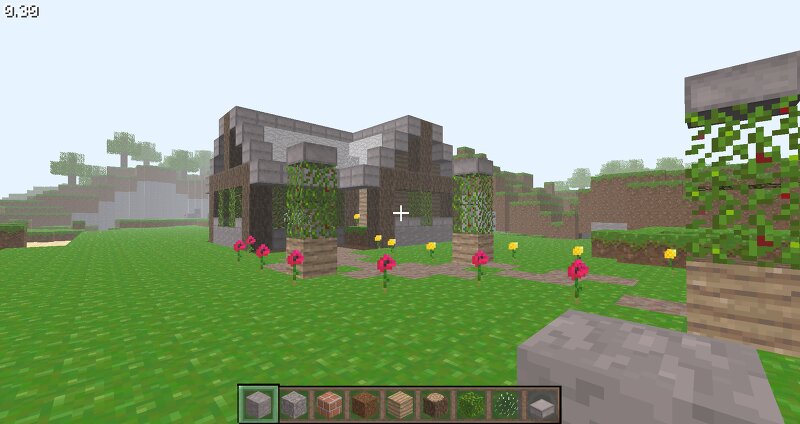
~ General info ~ Game version: Classic c0.28 to c0.30 * Pack version: 1.0 - Base ~ Changelog ~ 1.0: Modified `terrain.png`, `rock.png` and `gui.png` with the new textures for this texturepack. The base version basically. - PLANNED - 2.0: ??? 2.1: ??? ~ How to install < |> Compatibility ~ First, locate your Minecraft version folder. If you are on Windows, press Win + R, type "%appdata%" and press Enter. Now go to ".minecraft" folder (or if you use the Betacraft launcher, its ".betacraft") and finally go to "versions". Next, open the ".jar" file that has the version you want to have the texturepack (it should be compatible) with WinRAR or any other program that can read ".zip" or ".jar" files. Now, to apply the texturepack, open the downloaded texture pack with the ".zip" format, copy all the contents of it to the version .jar and finally, delete the folder "META-INF" of the version .jar if the game doesnt start or shows a black screen with nothing. Now you can start the game in that version with the new textures and the textures should be visible. * This texture pack works perfectly fine between versions c0.28 to c0.30 from the "Classic" era, because the `terrain.png` file is the sa