Home · Back · what the heck is this ;-;
Click and drag to rotate
Back
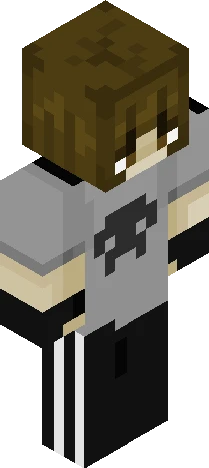
what the heck is this ;-;
Well I came back- Yeah It’s a skin ok- ;-; So, update.. - my dad fell incredibly sick, so I’ve had to care for him.. he has an infection in his eye and also shingles soo.. yeah it’s been rough.. lucky I’ve had my chickenpox vaccination - school ended for the term and I got bad grades.. I’ve been really distracted lately for no reason idk what’s wrong with me - my bf broke up with me because apparently I’m ’too distant’ and ‘too loud and obnoxious’ at the same time.. like bro pick a side ;-; - I watched Deadpool (peak movie) and a giant spider was right next to my foot.. I screamed and said Spiderman joined us I’m crine T-T - Screen time limits again.. I have until 3-6 on this, 1hon YouTube, 2h on Facebook and 45 minutes on games.. broski what - I went to the snow :) we went to the resort on the worst day of the season it was pouring rain and winds up to 80km/h.. I stayed in the resort ;-; I threw a snowball at my vice principal and uh failed it missed her I’m sobbing.. On the last day we went for a 12km hike up the mountain and yeah it was tough HAH but I survived and came home at 11:30pm!! Anyways uh Life has been fun to say the least I missed u all hope ur all ok <3 ily all
64×64 · classic or slim is detected from the PNG
Eaglercraft · Minecraft
Cara memakai skin ini di Eaglercraft
Unduh PNG, lalu terapkan di klien Eaglercraft yang sudah Anda pakai. Menu berbeda tiap host. Situs ini tidak membagikan game.
- 1Download the PNG with the button above.
- 2Open your Eaglercraft 1.8 client in the browser.
- 3On the title screen, open Options, then the skin control. It is often named Skin or Change Skin.
- 4Upload this PNG, or paste a direct image link if that menu asks for a URL.
- 5Join a world. The skin stays in this browser for that client.
Standard model · 64×64. Kami tidak pernah meminta kata sandi game. Berkas skin hanya gambar.
Pakai skin ini di Minecraft
- 1Download the same PNG.
- 2In the Minecraft Launcher, open Skins and choose a new skin.
- 3Pick classic or slim so the arms match this skin, then upload the file.
- 4Bedrock can use this artwork where that device lets you import a custom skin PNG. The file itself is the standard Java skin layout.