Home · Green · | apple pie | - CE
Click and drag to rotate
Green
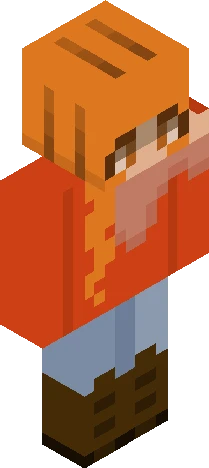
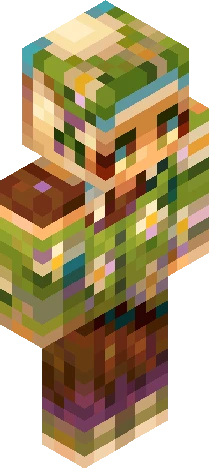
| apple pie | - CE
hihihi! Here's my entry for Arty's Palette Contest: https://www.minecraftskins.com/skin/24316945/--palette-contest---kinda---/ I used the website coolors to generate a 4 color palette, and tried my hardest to make sure those were the 4 main colors on the skin. The skin tone used is also a very very light shade of the red/orange that was generated. For all the other colors I used my typical technique for shading, which includes a /little/ bit of hue shifting, but the main colors weren't altered. The hex codes are: - A3A380 (Dark Green) - D6CE93 (Medium Green) - EFEBCE (Light Green) - D8A48F (Red/Orange) OR here's the coolor's palette if it works: https://coolors.co/a3a380-d6ce93-efebce-d8a48f I love that i got challenged with a contrasting color palette, i feel like red/green are super difficult to make work without turning it into something festive (if that's not the desired look) ArtyPalette200
64×64 · classic or slim is detected from the PNG
Eaglercraft · Minecraft
Cara memakai skin ini di Eaglercraft
Unduh PNG, lalu terapkan di klien Eaglercraft yang sudah Anda pakai. Menu berbeda tiap host. Situs ini tidak membagikan game.
- 1Download the PNG with the button above.
- 2Open your Eaglercraft 1.8 client in the browser.
- 3On the title screen, open Options, then the skin control. It is often named Skin or Change Skin.
- 4Upload this PNG, or paste a direct image link if that menu asks for a URL.
- 5Join a world. The skin stays in this browser for that client.
Standard model · 64×64. Kami tidak pernah meminta kata sandi game. Berkas skin hanya gambar.
Pakai skin ini di Minecraft
- 1Download the same PNG.
- 2In the Minecraft Launcher, open Skins and choose a new skin.
- 3Pick classic or slim so the arms match this skin, then upload the file.
- 4Bedrock can use this artwork where that device lets you import a custom skin PNG. The file itself is the standard Java skin layout.