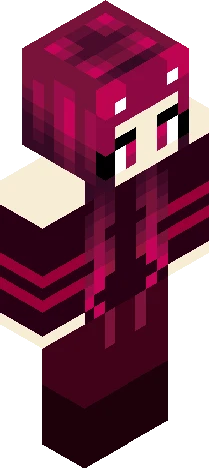
Home · Arty006 · - Cyber Cruise - rmk
Click and drag to rotate
Arty006
- Cyber Cruise - rmk
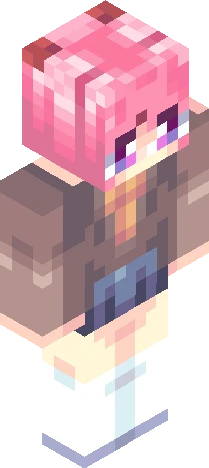
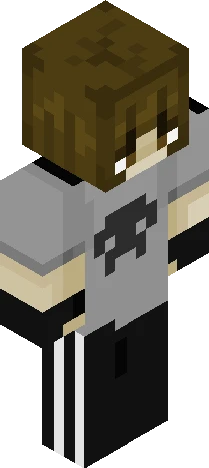
Remake of an old skin! Song: Cyber Cruise, by Swif7 i tryed remaking this one before, but the hair never quite sit w/ me, but yesterday i stayed up till late the finish it while i was still inspired XD Also, i think i'll make this one my new persona :3 Here's the OG: https://www.minecraftskins.com/skin/23060422/cyber-cruiser--descripcion-/ I did change the color of the clothes and the lenght of the front hair a little bit :D If you like my skins, feel free to make a request here: https://www.minecraftskins.com/skin/24261508/--annoucement---requests-skin/ - Arty :3 Boots, Effects, Really Neon, Bright, Gradient, Shiny, Cute, Gradient, Remake, Colorfull, Persona, New Persona
64×64 · classic or slim is detected from the PNG
Eaglercraft · Minecraft
Cara memakai skin ini di Eaglercraft
Unduh PNG, lalu terapkan di klien Eaglercraft yang sudah Anda pakai. Menu berbeda tiap host. Situs ini tidak membagikan game.
- 1Download the PNG with the button above.
- 2Open your Eaglercraft 1.8 client in the browser.
- 3On the title screen, open Options, then the skin control. It is often named Skin or Change Skin.
- 4Upload this PNG, or paste a direct image link if that menu asks for a URL.
- 5Join a world. The skin stays in this browser for that client.
Standard model · 64×64. Kami tidak pernah meminta kata sandi game. Berkas skin hanya gambar.
Pakai skin ini di Minecraft
- 1Download the same PNG.
- 2In the Minecraft Launcher, open Skins and choose a new skin.
- 3Pick classic or slim so the arms match this skin, then upload the file.
- 4Bedrock can use this artwork where that device lets you import a custom skin PNG. The file itself is the standard Java skin layout.