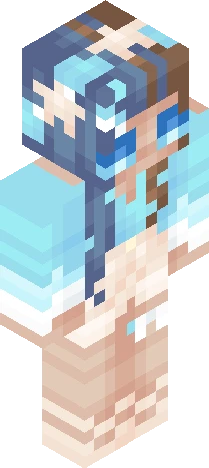
Home · Blue · Save Skindexers!
Click and drag to rotate
Blue
Save Skindexers!
HIHIHIHI I'm feeling rly strongly abt making this rn and i think a lot of u r too but Basically what this is is just a group of ppl who are trying to get people noticed and motivated! We aren’t trying to hate on ANYONE. I can’t speak for anyone but myself, but I am not mad at anyone who disagrees with my views on this update and what we’re doing about it. All opinions are valid, respectable,and can be argued for!! But hey, if this seems like smtg u wanna join, feel free to, and kno ur welcomed!! If u want my take on all this, check my skin here https://www.minecraftskins.com/skin/23523629/why---/ and sort oldest first :) AND YEA EVERYONE *eh hem turns off caps lock* let's team up and MAKE SKINDEX SWEET AGAIN!!! If you wanna join just say u want to in the comments! You CAN put "#makeskindexsweet" in ur bio, but u dont have too :) Pls, all this requires is that u like skins u like, and comment kind and motivating things on skins too!! We don't want ppl feeling sad about being labeled as common blocks While we can’t like every skin we see just to rank ppl up, we CAN help underrated creators get more noticed, and encourage smaller ones to skin more and grow through kindness!
64×64 · classic or slim is detected from the PNG
Eaglercraft · Minecraft
Cara memakai skin ini di Eaglercraft
Unduh PNG, lalu terapkan di klien Eaglercraft yang sudah Anda pakai. Menu berbeda tiap host. Situs ini tidak membagikan game.
- 1Download the PNG with the button above.
- 2Open your Eaglercraft 1.8 client in the browser.
- 3On the title screen, open Options, then the skin control. It is often named Skin or Change Skin.
- 4Upload this PNG, or paste a direct image link if that menu asks for a URL.
- 5Join a world. The skin stays in this browser for that client.
Standard model · 64×64. Kami tidak pernah meminta kata sandi game. Berkas skin hanya gambar.
Pakai skin ini di Minecraft
- 1Download the same PNG.
- 2In the Minecraft Launcher, open Skins and choose a new skin.
- 3Pick classic or slim so the arms match this skin, then upload the file.
- 4Bedrock can use this artwork where that device lets you import a custom skin PNG. The file itself is the standard Java skin layout.