Home · Deltarune · the ice witch
Click and drag to rotate
Deltarune
the ice witch
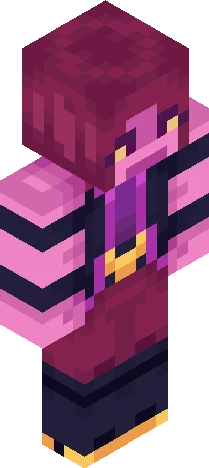
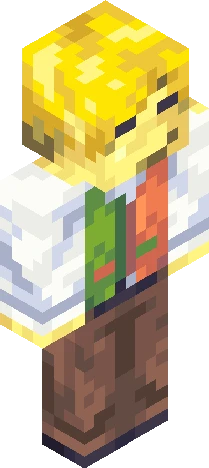
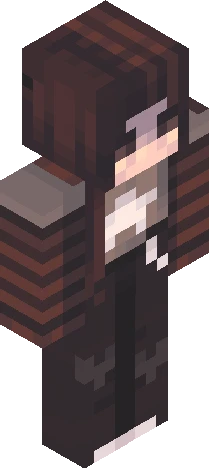
(deltarune spoilers (and rant) ahead, proceed at your own risk) sooo this skin was heavily based off of the ice witch from the secret sword games in chapter 3 of deltarune ..but really it could pass as any mysterious white cloaked figure- so, really, it's either one, depending on whether or not you're as obsessed with deltarune as i am but for me it's the former so i'm gonna rant!! this is the ice witch from the secret sword games! who definitely looks nothing like a different ice sorceress sidekick we know, and totally doesn't resemble her in every other regard the sword games were so cool (and horrible) i hope we see something about them again i'd also like to say that on my first playthrough when i was still innocent, i got to the third sword game and i killed susie and ralsei's characters ON ACCIDENT and then got really confused until my brother told me what happened i also nearly threw my desk out the window during the eram fight <33 (not just on my first playthrough though, on every successive one too-) eram was cool even though i hated his fight i hope we see him (it??) again too so yeah :D this is the ice witch
64×64 · classic or slim is detected from the PNG
Eaglercraft · Minecraft
Cómo usar este skin en Eaglercraft
Descarga el PNG y aplícalo en el cliente de Eaglercraft que ya usas. Los menús cambian según el sitio. Esta página no distribuye el juego.
- 1Download the PNG with the button above.
- 2Open your Eaglercraft 1.8 client in the browser.
- 3On the title screen, open Options, then the skin control. It is often named Skin or Change Skin.
- 4Upload this PNG, or paste a direct image link if that menu asks for a URL.
- 5Join a world. The skin stays in this browser for that client.
Standard model · 64×64. Nunca pedimos la contraseña del juego. Un archivo de skin es solo ilustración.
Usar este skin en Minecraft
- 1Download the same PNG.
- 2In the Minecraft Launcher, open Skins and choose a new skin.
- 3Pick classic or slim so the arms match this skin, then upload the file.
- 4Bedrock can use this artwork where that device lets you import a custom skin PNG. The file itself is the standard Java skin layout.

![Deltarune ~ Kris [ Light World ] Minecraft skin preview](https://cdn.eaglercraft.studio/skins/m24291019/preview.webp)