Home · Anime · Announcement! (Special Effects.) Beta Creature {SizArts.}
Click and drag to rotate
Anime
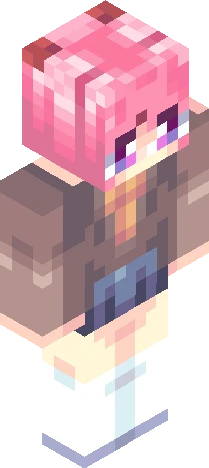
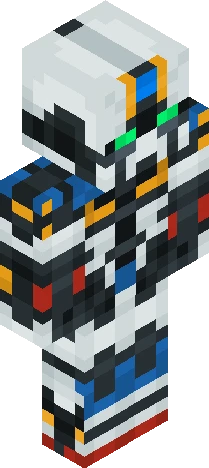
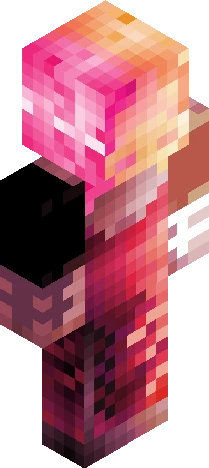
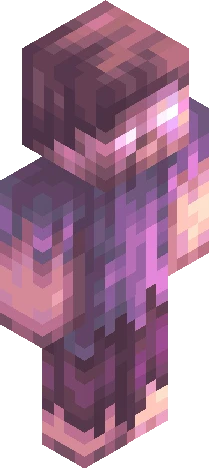
Announcement! (Special Effects.) Beta Creature {SizArts.}
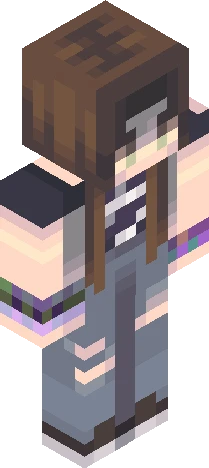
Show More! Hey! Here SizArts! I'm glad to finally annunce my new free skins project! - The Neon Creatures, Skins Pack - It will include 7 Brand new skins, with highquality designs! First skin, "Blue Tears" Will come out Friday! *This skin is not taking part of the Neon Creatures Skin Pack* -+* -+* -+* Can't Wait for having all the skins in your hands? Join my Telegram Channel, and download them all! https://t.me/SizArtsMC -+* -+* -+* Looking for an MC Custom Skin? Feel free to DM me on -Discord; "SizArts." By adding the last point too -Reddit; Theartsofsiz -+* -+* -+* Follow My Works also on: -SkinsCollection -Planet Minecraft. -SkinMC -NameMC -Reddit. (r/theartsofsiz) -Instagram (SizArtsMC) -+* -+* -+* I’m waiting for you all on Friday! See ya, -SizArts.
64×64 · classic or slim is detected from the PNG
Eaglercraft · Minecraft
Cómo usar este skin en Eaglercraft
Descarga el PNG y aplícalo en el cliente de Eaglercraft que ya usas. Los menús cambian según el sitio. Esta página no distribuye el juego.
- 1Download the PNG with the button above.
- 2Open your Eaglercraft 1.8 client in the browser.
- 3On the title screen, open Options, then the skin control. It is often named Skin or Change Skin.
- 4Upload this PNG, or paste a direct image link if that menu asks for a URL.
- 5Join a world. The skin stays in this browser for that client.
Standard model · 64×64. Nunca pedimos la contraseña del juego. Un archivo de skin es solo ilustración.
Usar este skin en Minecraft
- 1Download the same PNG.
- 2In the Minecraft Launcher, open Skins and choose a new skin.
- 3Pick classic or slim so the arms match this skin, then upload the file.
- 4Bedrock can use this artwork where that device lets you import a custom skin PNG. The file itself is the standard Java skin layout.