Home · Kktr05 · . apple slices ; r5
Click and drag to rotate
Kktr05
. apple slices ; r5
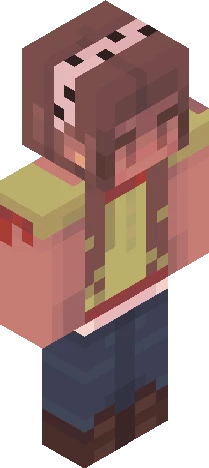
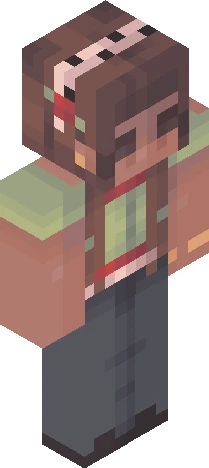
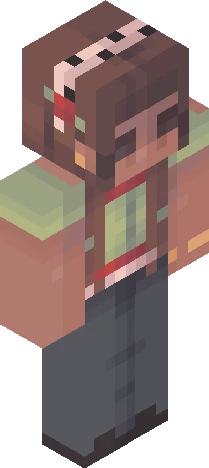
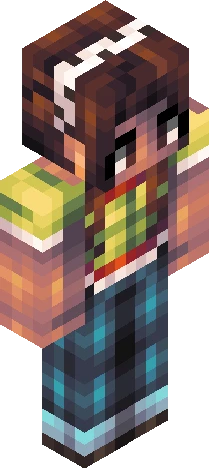
show more . + * i hope this one isn't too similar to round three oops guys i hit 10k likes but then i deleted a bunch of skins lmao :P i also downloaded minecraft recently and i think i'm getting the hang of it again... kinda. i'm trying to build like... a coastal britain-core seaside village forever world but it's lowk going terrible oh dear uhh updated leaderboard (after round 4): goyqngi - 119 hamster - 109 laureliss - 109 peonydew - 109 dazzles - 108 glitchpro - 101.5 sunnyshift - 86.5 artyzero - 78.5 honeybee - 73.5 babysheep - 62 vespxr - 57.5 silverstruck - 56 mvngo - 53.5 chickengod - 52 lilladybug - 51.5 eeb - 51 depressedwolf - 51 applecadet - 48.5 cqqkii - 40.5 moonya - 37.5 haerrcat - 30 otteremperor - 29.5 callmemay - 24.5 there's three ppl in second place lmao rules: + pls shade the whole skin + finish the outer layer + hueshifting is allowed + no genderbending + tag it with " KKTR05 " + link ur entry here in the comments skin description (important): + brown hair + dark skin + uhh... green henley with a red and white lace cami underneath... or something + dark wash jeans (baggy? bootcut? idk) + dark shoes ;-; due date: oct 4 aest ok yippee yippee :D
64×64 · classic or slim is detected from the PNG
Eaglercraft · Minecraft
So nutzt du diesen Skin in Eaglercraft
Lade die PNG herunter und wende sie im Eaglercraft-Client an, den du bereits nutzt. Die Menüs unterscheiden sich je nach Host. Diese Website verteilt das Spiel nicht.
- 1Download the PNG with the button above.
- 2Open your Eaglercraft 1.8 client in the browser.
- 3On the title screen, open Options, then the skin control. It is often named Skin or Change Skin.
- 4Upload this PNG, or paste a direct image link if that menu asks for a URL.
- 5Join a world. The skin stays in this browser for that client.
Standard model · 64×64. Wir fragen nie nach einem Spielpasswort. Eine Skin-Datei ist nur Grafik.
Diesen Skin in Minecraft nutzen
- 1Download the same PNG.
- 2In the Minecraft Launcher, open Skins and choose a new skin.
- 3Pick classic or slim so the arms match this skin, then upload the file.
- 4Bedrock can use this artwork where that device lets you import a custom skin PNG. The file itself is the standard Java skin layout.