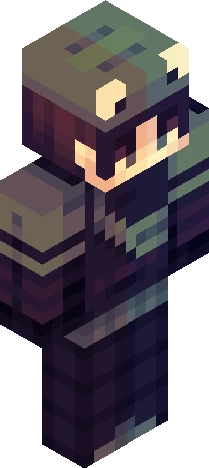
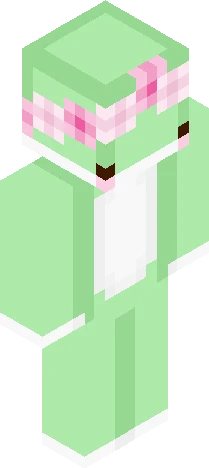
Home · 9V0LT73 · Kermit the Frog
Click and drag to rotate
9V0LT73
Kermit the Frog
Show moar *Gasp* OMG!!! LOOK! 9V0LT73 POSTED A NEW SKIN AND IT'S NOT A BATTERY SKIN! OMG! THAT'S CRAZY! HE HASN'T POSTED A SKIN LIKE THIS SINCE FEBRUARY 1ST! OMG! THAT'S SO COOL! LOOK AT THAT- Shut. Hello. Surprise! Not another battery skin! Yeah I'm starting to run dry of battery skin ideas. I'm starting to get tired of posting so many battery-themed skins. So, I just decided to make a skin of another character I like: Kermit the Frog! I hope you like it because it took like, maybe 2 or more hours. The shading was painful. So many lag spikes. It my screen just froze for a few seconds multiple times. It just took so long because of the shading so you better like this. I swear bro this probably took 2 years off of my life. Yes, I am aware I haven't JUST posted batter skins since February 1st but hear me out. The only skins I've posted that aren't battery related are the cultist robe and Falling. The skin used for Falling isn't even a character by the way. This is the first character that's not my OC I've posted since February, Just wanted to be clear.
64×64 · classic or slim is detected from the PNG
Eaglercraft · Minecraft
So nutzt du diesen Skin in Eaglercraft
Lade die PNG herunter und wende sie im Eaglercraft-Client an, den du bereits nutzt. Die Menüs unterscheiden sich je nach Host. Diese Website verteilt das Spiel nicht.
- 1Download the PNG with the button above.
- 2Open your Eaglercraft 1.8 client in the browser.
- 3On the title screen, open Options, then the skin control. It is often named Skin or Change Skin.
- 4Upload this PNG, or paste a direct image link if that menu asks for a URL.
- 5Join a world. The skin stays in this browser for that client.
Standard model · 64×64. Wir fragen nie nach einem Spielpasswort. Eine Skin-Datei ist nur Grafik.
Diesen Skin in Minecraft nutzen
- 1Download the same PNG.
- 2In the Minecraft Launcher, open Skins and choose a new skin.
- 3Pick classic or slim so the arms match this skin, then upload the file.
- 4Bedrock can use this artwork where that device lets you import a custom skin PNG. The file itself is the standard Java skin layout.
Similar skins





I Think Anyone can Choose to Do Good, or be Good, No Matter what Happened Before
64×64 PNG · Java, Bedrock, Eaglercraft
Skin bearbeiten