

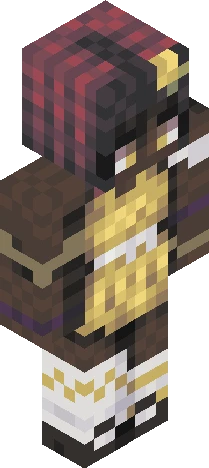
Home · nonace · kris dreemurr -:- ce
Click and drag to rotate
nonace
kris dreemurr -:- ce
guys dont spoil anything i havent played past chapter 2 </3 kris dreemurr from deltarune of course i mean who else would i make hah this is an entry for pinkxwhite’s contest skin link: https://www.minecraftskins.com/skin/24226899/*-*-350-gaming-contest-*-*/ his page: https://www.minecraftskins.com/profile/4707769/pinkxwhite i also have a dark world version of them cough cough https://www.minecraftskins.com/skin/24125776/kris-dreemurr-----fixed/ THE SKIN PREVIEW LOOKS SO BAD OMG THEY LOOK SO FAT WHAT DID YOU DO TO KRIS, SKINDEX </333 see yall around -Nona video game, green, yellow, human, brown, hair, boots, oversized sweater, because i think its cute, eyeless
64×64 · classic or slim is detected from the PNG
Eaglercraft · Minecraft
So nutzt du diesen Skin in Eaglercraft
Lade die PNG herunter und wende sie im Eaglercraft-Client an, den du bereits nutzt. Die Menüs unterscheiden sich je nach Host. Diese Website verteilt das Spiel nicht.
- 1Download the PNG with the button above.
- 2Open your Eaglercraft 1.8 client in the browser.
- 3On the title screen, open Options, then the skin control. It is often named Skin or Change Skin.
- 4Upload this PNG, or paste a direct image link if that menu asks for a URL.
- 5Join a world. The skin stays in this browser for that client.
Standard model · 64×64. Wir fragen nie nach einem Spielpasswort. Eine Skin-Datei ist nur Grafik.
Diesen Skin in Minecraft nutzen
- 1Download the same PNG.
- 2In the Minecraft Launcher, open Skins and choose a new skin.
- 3Pick classic or slim so the arms match this skin, then upload the file.
- 4Bedrock can use this artwork where that device lets you import a custom skin PNG. The file itself is the standard Java skin layout.
Similar skins

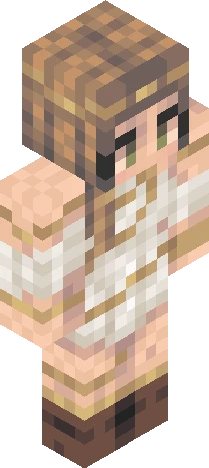
an emotional over-achiever, people-pleaser -:- persona
64×64 PNG · Java, Bedrock, Eaglercraft
Skin bearbeiten