Home · Blue · `~'*-_,HAPPY EASTER,_-*'~`
Click and drag to rotate
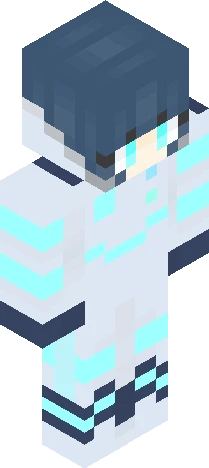
Blue
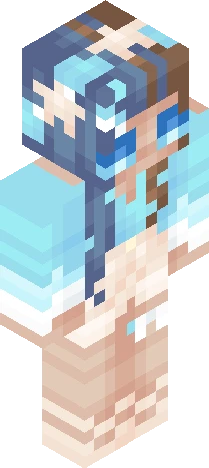
`~'*-_,HAPPY EASTER,_-*'~`
HAPPY EASTER EVERYONE!!!!! Jesus Christ is risen alive today!!!!!!!!!!!!! He died for all of us!!! For OUR sins!!! If that's not love, I don't know what is. :') Also!! Hello to everyone, I'm so sorry I haven't been on to reply to you all. It's been really busy, but I'll be honest I've just been a little down lately. But I'm sorry, that's no excuse not to reply to you all. And I'mma do all that replying stuff today. >:] Also!!!!! If anyone has a fav Easter tradition, or memory, please put it in the comments!!! I'd love to hear it, and I bet others would too. :D Love you all. See ya in the comments. <3 JESUS LOVES YOU ALL TONS!!!!!!!!! LIKE A LOT!!!!!!!!!!!!!!!!!!!!!!!!!!!!!!! HEEEEEEEEEEE LOVVVVVVVVVVESSSSSSSSSSSS YOUUUUUUUUUUUUUUUUUUU!!!
64×64 · classic or slim is detected from the PNG
Eaglercraft · Minecraft
So nutzt du diesen Skin in Eaglercraft
Lade die PNG herunter und wende sie im Eaglercraft-Client an, den du bereits nutzt. Die Menüs unterscheiden sich je nach Host. Diese Website verteilt das Spiel nicht.
- 1Download the PNG with the button above.
- 2Open your Eaglercraft 1.8 client in the browser.
- 3On the title screen, open Options, then the skin control. It is often named Skin or Change Skin.
- 4Upload this PNG, or paste a direct image link if that menu asks for a URL.
- 5Join a world. The skin stays in this browser for that client.
Standard model · 64×64. Wir fragen nie nach einem Spielpasswort. Eine Skin-Datei ist nur Grafik.
Diesen Skin in Minecraft nutzen
- 1Download the same PNG.
- 2In the Minecraft Launcher, open Skins and choose a new skin.
- 3Pick classic or slim so the arms match this skin, then upload the file.
- 4Bedrock can use this artwork where that device lets you import a custom skin PNG. The file itself is the standard Java skin layout.