Home · SwordofValor · Swords of Valor, ROLEPLAY
Click and drag to rotate
SwordofValor
Swords of Valor, ROLEPLAY
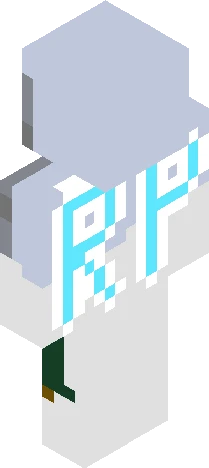
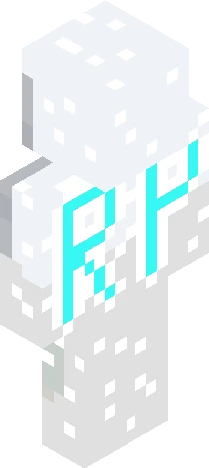
HAPPY ONE-YEAR ANNIVERSARY FOR THIS ROLEPLAY! Signups were posted on May 19, 2025 Signups are always open! https://www.minecraftskins.com/skin/23281873/swords-of-valor--rp-signups/ RULES! ~No bullying ~No swearing ~Don’t control other people’s characters (Unless they say it’s ok) ~Characters cannot be too op ~Two characters max ~Characters are protected, no killing any characters (Monsters and animals are fine) ~Romance is aloud Cast list: Chiknbanana: Marina Eurosxuka: Stultulo forestx: Briar GingerDragon: Colan & Natalia GoldnGamer5701: Erick hinatahyuga2401: Stella imperfections: Aaline lupyn: Sebastian marroniiz: Noah MiNnEsEaRgAn: Zari moonyyyyy: Sofira paintedsunsxt: Aria ReesesPeices: Ashelyn Reretoused: Butterick rosefairy: Calliope sadlywinter: Soren Skins4wins: Ash SoftlyHued: Luna SpamstandGD: Phi & Oni SunderDragon: Melthe & Crow WowDiamond: Flalo Xersycore: Aeron Villain cast: Chiknbanana: Vanessa Diffuls: Veronica forestx: Ezreal GingerDragon: Violet GoldnGamer5701: Batholomew monyyyyy: Zaelas paintedsunsxt: Night rosefairy: Faye sadlywinter: Dani SunderDragon: Vulg ThatOneSuperKnucklesFan: Hiragama & the Guardian
64×64 · classic or slim is detected from the PNG
Eaglercraft · Minecraft
So nutzt du diesen Skin in Eaglercraft
Lade die PNG herunter und wende sie im Eaglercraft-Client an, den du bereits nutzt. Die Menüs unterscheiden sich je nach Host. Diese Website verteilt das Spiel nicht.
- 1Download the PNG with the button above.
- 2Open your Eaglercraft 1.8 client in the browser.
- 3On the title screen, open Options, then the skin control. It is often named Skin or Change Skin.
- 4Upload this PNG, or paste a direct image link if that menu asks for a URL.
- 5Join a world. The skin stays in this browser for that client.
Standard model · 64×64. Wir fragen nie nach einem Spielpasswort. Eine Skin-Datei ist nur Grafik.
Diesen Skin in Minecraft nutzen
- 1Download the same PNG.
- 2In the Minecraft Launcher, open Skins and choose a new skin.
- 3Pick classic or slim so the arms match this skin, then upload the file.
- 4Bedrock can use this artwork where that device lets you import a custom skin PNG. The file itself is the standard Java skin layout.