Click and drag to rotate
Icy
~ Announcement ~
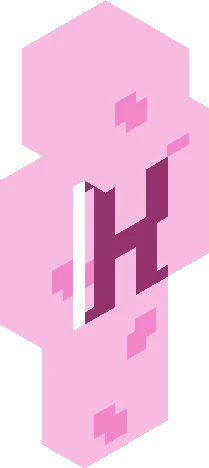
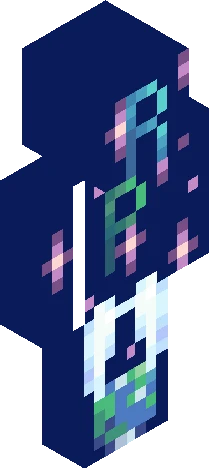
This is NOT a signups; please hold the character profiles. Hello! As you might remember, I made a poll, and it looks like Planet Tarine {cold} was the one everyone liked the most! I will be hosting a Planet Tarine roleplay very soon. *Cheering* The one in second place, if I remember correctly, was the Harry Potter roleplay. If you would like me to also make a Harry Potter roleplay at some point, I might do that. Honestly, Tarine was my favorite of the options, but my second favorite was Revive the Planet. I will probably use that one at some point. Anyways, if you would like to be notified when I make any of the above, now's the time to tell me. I'll say it again, this is NOT a signups. You may start thinking about the character you would like to add, but hold them off until I post the actual signups. If you haven't guessed, the skin was supposed to look snowy/icy
64×64 · classic or slim is detected from the PNG
Eaglercraft · Minecraft
كيفية استخدام هذا السكين في Eaglercraft
نزّل ملف PNG ثم طبّقه في عميل Eaglercraft الذي تستخدمه. القوائم تختلف حسب الموقع. هذا الموقع لا يوزّع اللعبة.
- 1Download the PNG with the button above.
- 2Open your Eaglercraft 1.8 client in the browser.
- 3On the title screen, open Options, then the skin control. It is often named Skin or Change Skin.
- 4Upload this PNG, or paste a direct image link if that menu asks for a URL.
- 5Join a world. The skin stays in this browser for that client.
Standard model · 64×64. لا نطلب كلمة مرور اللعبة أبداً. ملف السكين مجرد رسم.
استخدام هذا السكين في ماينكرافت
- 1Download the same PNG.
- 2In the Minecraft Launcher, open Skins and choose a new skin.
- 3Pick classic or slim so the arms match this skin, then upload the file.
- 4Bedrock can use this artwork where that device lets you import a custom skin PNG. The file itself is the standard Java skin layout.