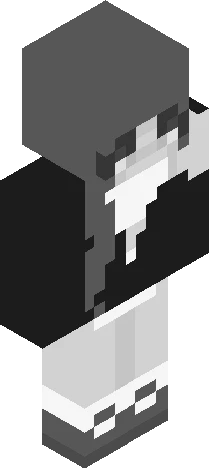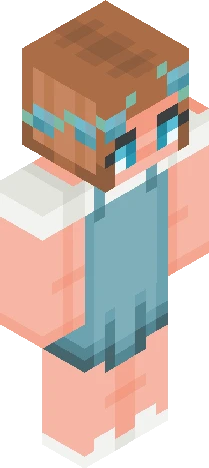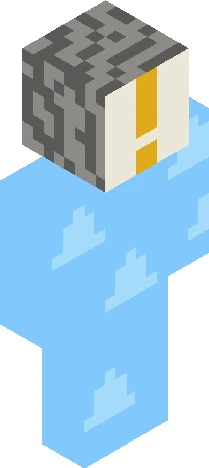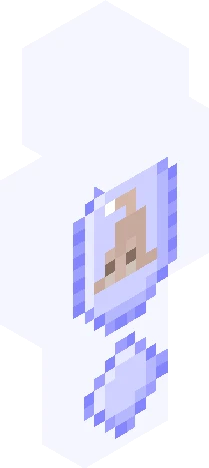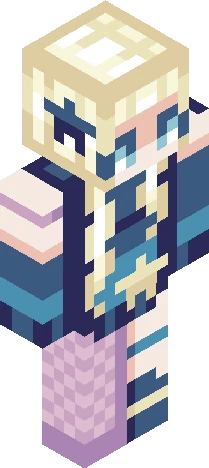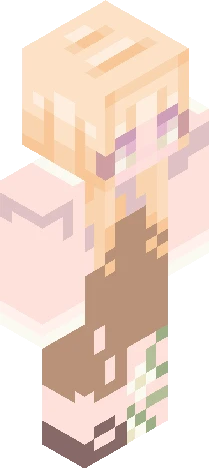
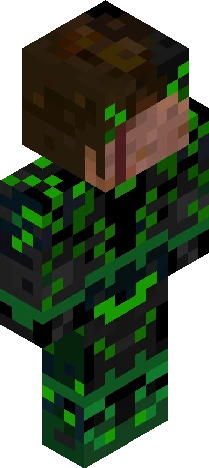
Click and drag to rotate
ByGinger
! ~ CONTEST ~ !
by GingerDragon · Minecraft Skins community listing
Download ! ~ CONTEST ~ ! Minecraft skin for free. Compatible with Minecraft Java, Bedrock, and Eaglercraft. Tagged byginger, contest, ginger200. Preview it in 3D, open it in the browser-based skin editor, or save the 64×64 PNG.
Uploader notes
HERE'S THE REAL THING I couldn't wait anymore so I moved it up You have three options! You can pick one Or do all three, either way Option one: Remake/reshade any of my skins! Except the roleplays and announcement skins. They don’t count, although that would be pretty funny Option two: Create a skin of what you think my persona would look like. Option three: Make a skin of one of my OCs! You can request a list of some of my favorites, or just one if you have one in mind. RULES: Skindex rules, obviously Shaded in your own style! No stealing Outer layer is allowed No bot skins Must be done at some point, extensions allowed if you request Anyone can join! For the remake/reshade, make sure you keep it recognizable! I will be judging for a mix between authenticity and creativity IF YOU REMAKE MY ROLEPLAY CHARACTERS, MAKE SURE TO CHECK THE DESCRIPTION. I MIGHT HAVE CHANGED WHAT MY CHARACTERS LOOK LIKE TAG IT: ginger200 (Cause I'm lazy and don't want to change it) Prizes: First place: 3 pages of likes + follow, if I’m not following you already Second place: 2 pages of likes + follow Third place: 2 pages of likes
64×64 · classic or slim is detected from the PNG
Added value
What’s on this skin page
Preview, categories, compatibility, and tools on this page — not a bare file mirror.
- Creator
- GingerDragon
- Source
- Minecraft Skins community listing · curated on Eaglercraft Studio
- Format
- 64×64 PNG skin texture
- Model
- Classic or slim (detected from the PNG)
- Compatible with
- Eaglercraft · Minecraft Java · Bedrock (classic skin import)
- Studio tools
- 3D preview · browser editor · avatar maker
- Categories
- ByGinger, contest, ginger200
Download
How to download this free skin
- 1Click Download skin to save the free PNG.
- 2Follow Use in Eaglercraft below for client steps, or import the file in Minecraft Java (Profile → Skins).
- 3Optional: open Avatar maker for a Discord / YouTube profile picture from the same texture.
Downloads are free. An optional account only saves favorites across devices.
Edit
How to edit this skin
- 1Open Edit skin to load this PNG in the browser editor.
- 2Paint, swap layers, or remix parts — changes stay on your device until you download.
- 3Export a new 64×64 PNG and use it in Eaglercraft or Minecraft Java.
Eaglercraft · Minecraft
كيفية استخدام هذا السكين في Eaglercraft
نزّل ملف PNG ثم طبّقه في عميل Eaglercraft الذي تستخدمه. القوائم تختلف حسب الموقع. هذا الموقع لا يوزّع اللعبة.
- 1Download the PNG with the button above.
- 2Open your Eaglercraft 1.8 client in the browser.
- 3On the title screen, open Options, then the skin control. It is often named Skin or Change Skin.
- 4Upload this PNG, or paste a direct image link if that menu asks for a URL.
- 5Join a world. The skin stays in this browser for that client.
Standard model · 64×64. لا نطلب كلمة مرور اللعبة أبداً. ملف السكين مجرد رسم.
استخدام هذا السكين في ماينكرافت
- 1Download the same PNG.
- 2In the Minecraft Launcher, open Skins and choose a new skin.
- 3Pick classic or slim so the arms match this skin, then upload the file.
- 4Bedrock can use this artwork where that device lets you import a custom skin PNG. The file itself is the standard Java skin layout.
Similar skins
More library skins from related categories — curated for discovery, not random filler.