
How to Make Realistic Water in Minecraft Using Stained Glass | Tutorial
by JustPinkCake · 2026-09-18 · Maps
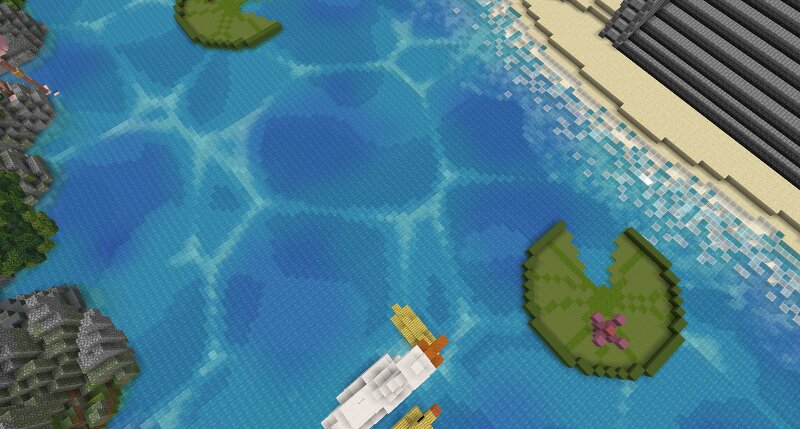
This is a simple building technique I use to give water more realistic details without looking weird or make it not usable. We can place different layers of stained glass underneath the water to create lighter and darker areas similar to how the light makes the water looks in real life, The only Tool that you may need is WorldEdit or AXIOM. 1. First Layer (Make sure that your build is 6-8 blocks deep) Place a pure water first 2. Blue Stained Glass Place a layer of blue stained glass 1 block up of the water base layer 3. Add Light Blue Stained Glass Leave 1 block of difference between the blue glass layer and make a pure 4. Third Stained Glass Layer Were gonna make another Blue Stained Glass layer taking 1 block up of the Light Blue glass layer that we already made. 5. Noise Painter (AXIOM) 1 Were gonna paint the Blue Stained glass layer using the Noise Painter to make darker spots areas with Blue Wool and Blue Concrete with the Simplex Brush (similar to the image) 6. Water texture Now were gonna make the patterns, we will use the Worley Brush and were gonna modify the Block count rate lowering it with every block were gonna use. In this case were gonna start with the Light Blue Sta